Close Menu
MyAppsPlus

    Subscribe to Updates

    Get the latest creative news from FooBar about art, design and business.

    What's Hot

    Why your Ring camera is still useful without a subscription

    October 25, 2026

    Critics hated Rob Zombie’s ‘Halloween’ remake, but here’s why I recommend you stream it

    October 25, 2026

    Best Prime Day video game deals: Switch 2 bundle, Samsung monitors, and more

    October 25, 2026
    Facebook X (Twitter) Instagram
    Facebook X (Twitter) Instagram
    MyAppsPlusMyAppsPlus
    Sunday, October 25
    • Home
    • Breaking Tech
    • Apps & Software
    • AI & Automation
    • Android
    • iPhone & iOS
    • More
      • Reviews
      • How-To Guides
      • Deals & Discounts
      • Shop
    MyAppsPlus
    Home»Breaking Tech»What is Theater Mode on your Apple Watch and when should you use it?
    Breaking Tech

    What is Theater Mode on your Apple Watch and when should you use it?

    myappsplusBy myappsplusOctober 25, 2026003 Mins Read
    Share Facebook Twitter Pinterest Copy Link LinkedIn Tumblr Email Telegram WhatsApp
    Follow Us
    Google News Flipboard
    What is Theater Mode on your Apple Watch and when should you use it?
    Share
    Facebook Twitter LinkedIn Pinterest Email Copy Link

    The easiest way to stop your watch from distracting you at the movies.

    Apple Watches do a lot more than tell the time, granting their wearers many of the iPhone‘s perks in addition to a suite of biometric data. However, they also possess an assortment of extra traits with more niche, but valuable, use-cases. One of these underrated Apple Watch features is Theater Mode, which is perfect for when you need your watch to quieten down.

    Theater Mode is a neat little toggle designed to help you tone down your watch in a similar manner to Do Not Disturb mode. The setting launched with watchOS 3.2, meaning even the original Apple Watch, which first hit stores back in 2015, can utilize it. Therefore, if you want to make notifications as subtle as possible, without blocking them entirely, you can simply activate this nifty mode on any Apple Watch you might have.

    How Theater Mode works and how to enable it
    Blue Apple Watch displaying the Apple logo on its screen.

    Activating Theater Mode will dim the Apple Watch’s bright lights and hush it down; it will turn off the display, silence the device and disable visual notifications. In addition, it will also keep the display from waking whenever you raise your wrist, meaning you’ll need to tap the screen or press either of the Apple Watch’s buttons to turn the display back on. 

    The big difference between this mode and the total serenity of Do Not Disturb (besides the disabled display) is that Theater Mode will allow you to keep haptics on, meaning you’ll still be able to feel the vibration from a notification.

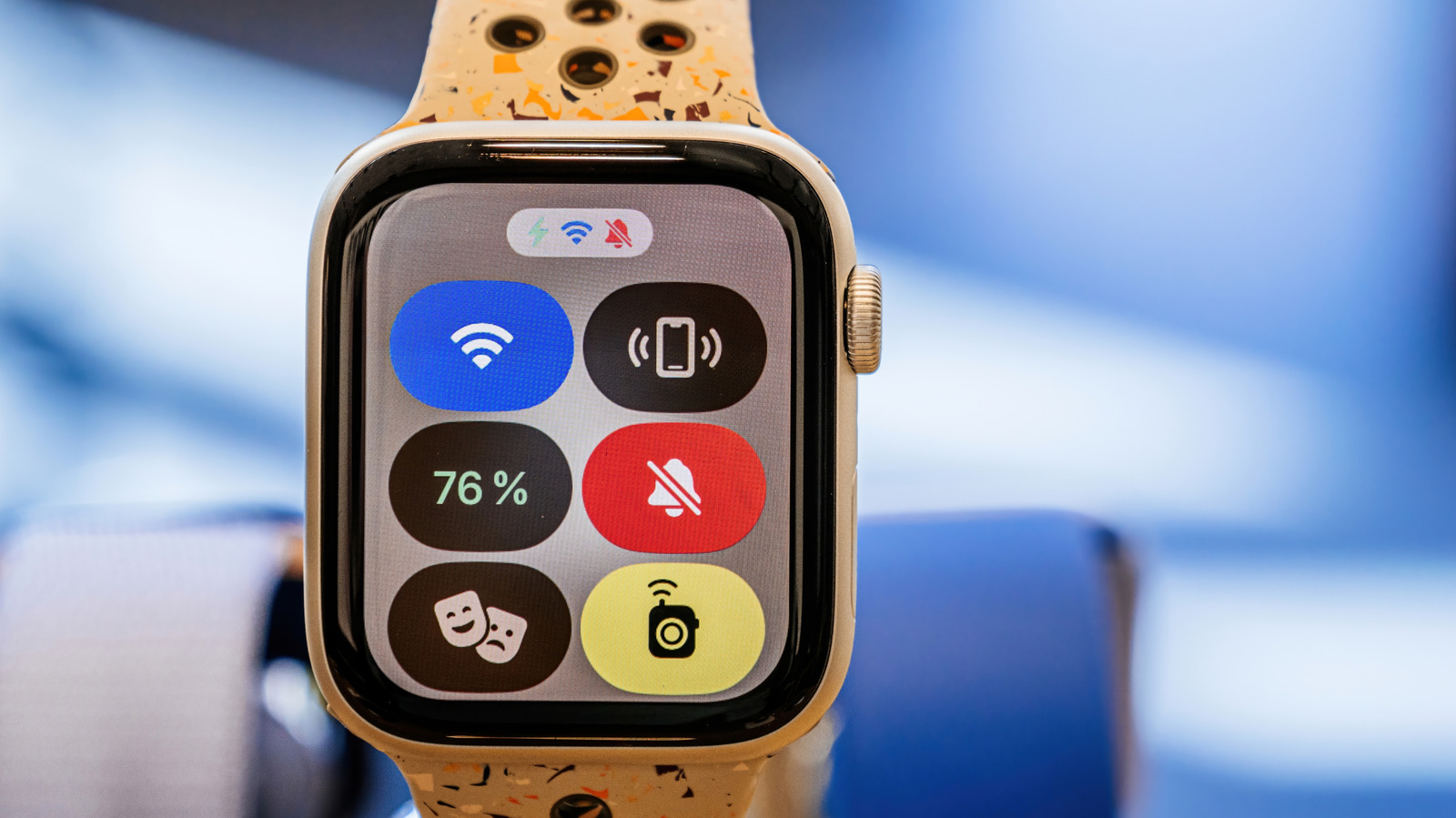
    If you want to turn this feature on, you only need to tap your watch’s side button (the flat oval button) to bring up the Control Center. From there, you can toggle Theater Mode by tapping the icon resembling the theatrical comedy-tragedy masks. Unlike Do Not Disturb, however, there are no conditionals for disabling Theater Mode after a certain duration or event, so you’ll need to toggle the mode manually.

    The best times to use Theater Mode
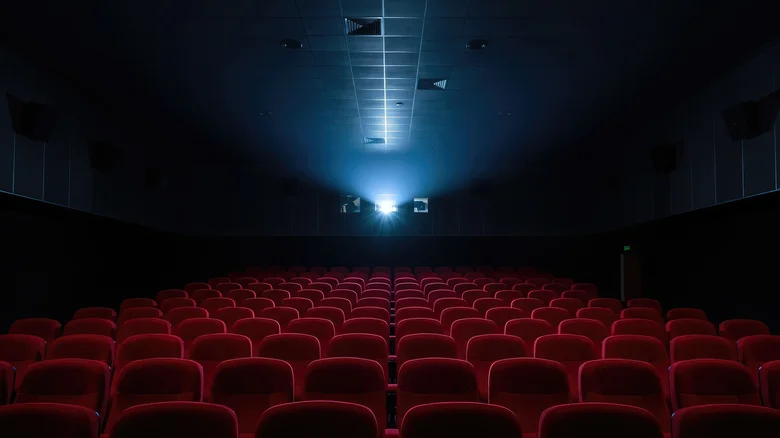
    Empty cinema with row upon row of empty red seats, with the bright glare of the projector in the back.

    Obviously, this mode is great for venues where being quiet and considerate is key, whether watching a play or a movie on the big screen. It’s also a nice feature for when you’re attending meetings or other social events that demand your full attention. In either case, the mode will block any distractions that might irritate anyone in your surroundings, while subtly keeping you in the loop.

    Theater Mode also carries a few extra benefits that make it even more useful. Chiefly, it can reduce battery drain by stopping your watch from waking up at the slightest gesture. You can also choose to suppress certain biometric readings, such as blood oxygen readings, while your watch is in this mode. To toggle this, you can simply head to Settings and click on the reading you want to keep on or off during Theater Mode, if applicable.

    Apple mode theater Wearables What
    Follow on Google News Follow on Flipboard
    Share. Facebook Twitter Pinterest LinkedIn Tumblr Email Copy Link
    myappsplus
    • Website

    Related Posts

    Why your Ring camera is still useful without a subscription

    October 25, 2026

    The Entire Journalism Industry Is on a Collision Course With AI

    October 25, 2026

    Sony’s Android 17 update with Desktop mode is now reaching this older Xperia flagship

    October 25, 2026
    Add A Comment
    Leave A Reply Cancel Reply

    Top Posts

    Cathay Pacific tests Google AI that dramatically cuts airplane contrails — tiny altitude shifts slash environmental impact by 40% in early trials

    September 8, 2026137 Views

    Drone swarm tech valued by both defense and civilian sectors, industry platform says

    September 8, 202615 Views

    Keep running out of mobile data? This new unlimited plan gets you up to 80Mbps 5G speeds for just AU$50/m

    October 8, 202614 Views
    Latest Reviews

    Samsung is randomly deactivating some accounts for ‘security reasons’

    myappsplusSeptember 1, 2026

    ‘Sonos 27’ brings a refreshed UI to the app and lets AI agents control your system

    myappsplusSeptember 1, 2026

    Anthropic reveals its view of how AI agents should interact with the physical world

    myappsplusSeptember 1, 2026
    Stay In Touch
    • Facebook
    • YouTube
    • TikTok
    • WhatsApp
    • Twitter
    • Instagram

    Subscribe to Updates

    Get the latest tech news from FooBar about tech, design and biz.

    Most Popular

    Samsung is randomly deactivating some accounts for ‘security reasons’

    September 1, 20260 Views

    ‘Sonos 27’ brings a refreshed UI to the app and lets AI agents control your system

    September 1, 20260 Views

    Anthropic reveals its view of how AI agents should interact with the physical world

    September 1, 20260 Views
    Our Picks

    Why your Ring camera is still useful without a subscription

    October 25, 2026

    Critics hated Rob Zombie’s ‘Halloween’ remake, but here’s why I recommend you stream it

    October 25, 2026

    Best Prime Day video game deals: Switch 2 bundle, Samsung monitors, and more

    October 25, 2026

    Subscribe to Updates

    Subscribe to our newsletter and get the latest tech news, app updates, AI trends, smartphone reviews, and exclusive deals delivered straight to your inbox.

    Facebook X (Twitter) Instagram Pinterest
    • About Us
    • Get In Touch
    • Disclaimer
    • Privacy Policy
    • Terms & Conditions
    © 2026 MyAppsPlus. All Rights Reserved.

    Type above and press Enter to search. Press Esc to cancel.