Close Menu
MyAppsPlus

    Subscribe to Updates

    Get the latest creative news from FooBar about art, design and business.

    What's Hot

    2 Warren Buffett Artificial Intelligence (AI) Stocks I’d Buy Right Now and Never Sell

    October 25, 2026

    Meta acquires AI data platform Sundial

    October 25, 2026

    What is the cheapest new gaming console you can buy in 2026?

    October 25, 2026
    Facebook X (Twitter) Instagram
    Facebook X (Twitter) Instagram
    MyAppsPlusMyAppsPlus
    Sunday, October 25
    • Home
    • Breaking Tech
    • Apps & Software
    • AI & Automation
    • Android
    • iPhone & iOS
    • More
      • Reviews
      • How-To Guides
      • Deals & Discounts
      • Shop
    MyAppsPlus
    Home»iPhone & iOS»Skip the Touch ID Scan: Unlock iPhone Duo With Apple Watch
    iPhone & iOS

    Skip the Touch ID Scan: Unlock iPhone Duo With Apple Watch

    myappsplusBy myappsplusOctober 24, 2026002 Mins Read
    Share Facebook Twitter Pinterest Copy Link LinkedIn Tumblr Email Telegram WhatsApp
    Follow Us
    Google News Flipboard
    Skip the Touch ID Scan: Unlock iPhone Duo With Apple Watch
    Share
    Facebook Twitter LinkedIn Pinterest Email Copy Link

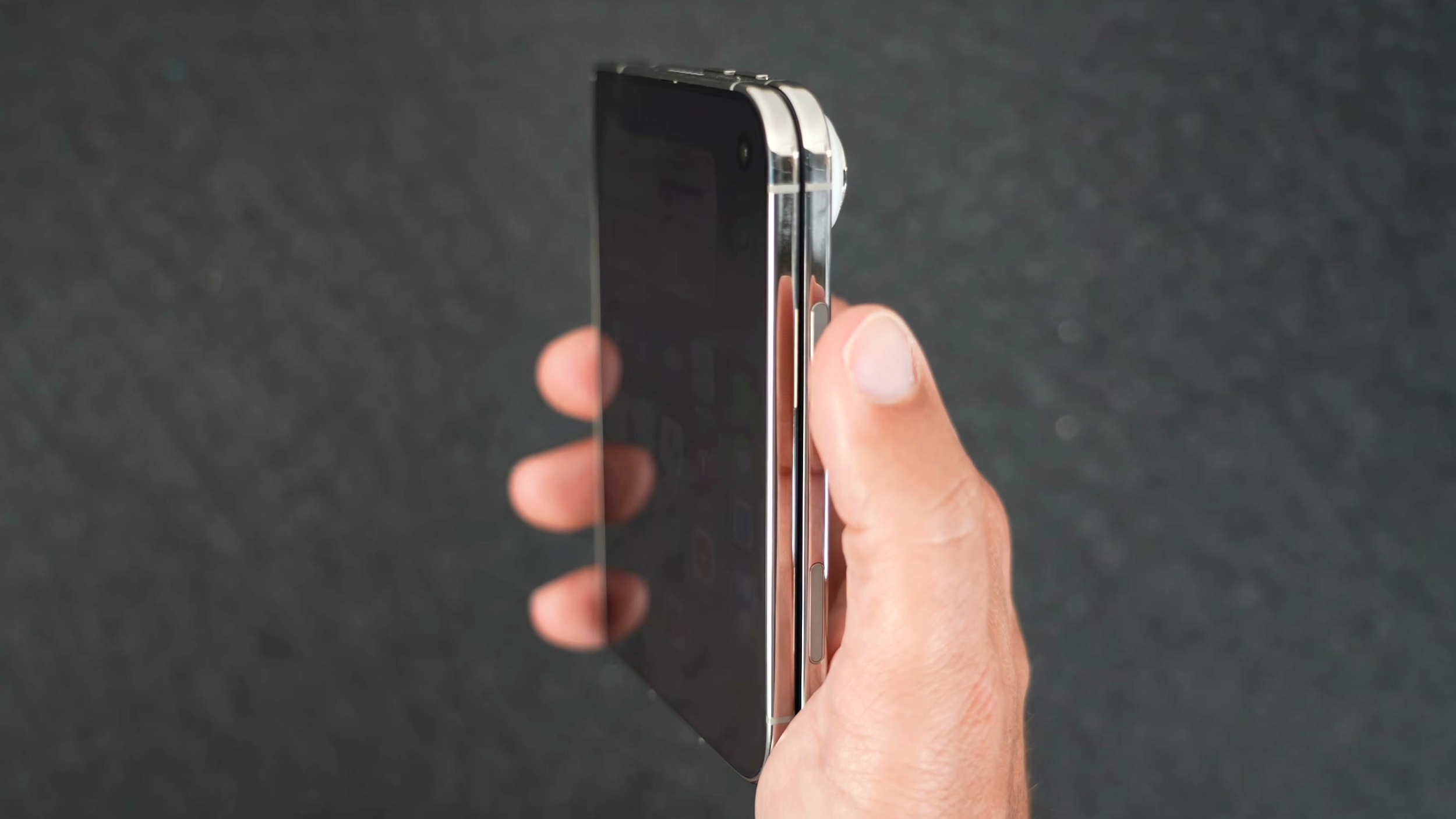
    iPhone Duo uses a Touch ID sensor built into the side button for authentication. Some may feel this is a step backwards after almost a decade of Face ID on iPhones, but if you wear an Apple Watch, you can use it to unlock your iPhone Duo instead. This way, you don’t need to touch the side button at all. It’s the closest thing we have to a seamless Face ID experience on iPhone Duo (at least for now).

    The feature is called Unlock with Apple Watch. It’s not new to iPhone, but it works reliably. Note that your Apple Watch needs to be a Series 9 or later, an Ultra 2 or later, or an SE 3. Here’s how to turn on the feature and start using it.

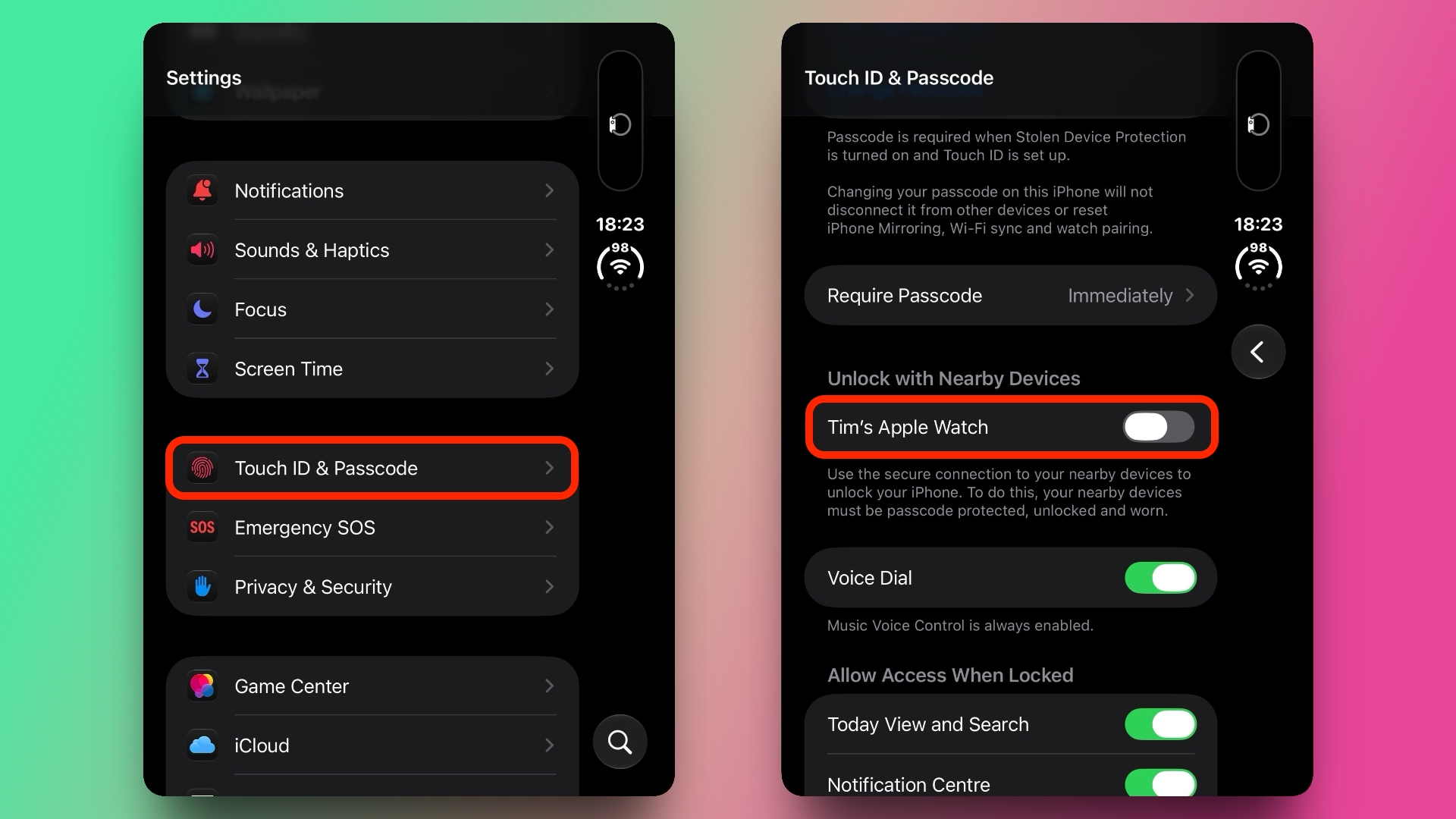
    Turn On Unlock With Apple Watch

    1. Open the Settings app on your iPhone Duo.
    2. Tap Touch ID & Passcode, then enter your passcode.
    3. Scroll down to “Unlock with Nearby Devices.”
    4. Toggle on the switch next to your Apple Watch. If you have more than one watch paired with your iPhone Duo, toggle it on for each one.
    settings

    Unlock iPhone Duo With Your Watch

    1. Make sure your Apple Watch is on your wrist and unlocked, and close to your iPhone Duo.
    2. Wake iPhone Duo by raising it or tapping the screen. (If it’s closed, opening it also wakes it.)
    3. Swipe up from the bottom edge of the screen to dismiss the Lock Screen.

    From here on, your Apple Watch will handle the authentication – no fingerprint shenanigans required. The swipe up is still needed to get past the Lock Screen, but you can turn off this additional step in Settings.Related Roundups: Apple Watch 12, iPhone Duo
    Buyer’s Guide: Apple Watch (Buy Now), iPhone Duo (Buy Now)
    Related Forums: Apple Watch, iPhone
    This article, “Skip the Touch ID Scan: Unlock iPhone Duo With Apple Watch” first appeared on MacRumors.com

    Discuss this article in our forums

    Apple Watch Featured iPhone Duo Skip Touch
    Follow on Google News Follow on Flipboard
    Share. Facebook Twitter Pinterest LinkedIn Tumblr Email Copy Link
    myappsplus
    • Website

    Related Posts

    Trump Mocks Ilhan Omar With iPhone Scammer Meme as Fraud Probe Heats Up

    October 25, 2026

    Hands-on: Belkin’s new semi solid state batteries make for a much lighter carry

    October 24, 2026

    Man Destroys $2,000 iPhone Duo With Dirt, Fire, Knives and Medieval Chainmail

    October 24, 2026
    Add A Comment
    Leave A Reply Cancel Reply

    Top Posts

    Cathay Pacific tests Google AI that dramatically cuts airplane contrails — tiny altitude shifts slash environmental impact by 40% in early trials

    September 8, 2026137 Views

    Drone swarm tech valued by both defense and civilian sectors, industry platform says

    September 8, 202615 Views

    Keep running out of mobile data? This new unlimited plan gets you up to 80Mbps 5G speeds for just AU$50/m

    October 8, 202614 Views
    Latest Reviews

    WD’s 6TB Elements portable hard drive drops to $260 for simple plug-and-play backups

    myappsplusSeptember 1, 2026

    Job postings show early signs of AI automation impact

    myappsplusSeptember 1, 2026

    iPhone 18 Pro Colors Apparently Include Black, But Skip Silver

    myappsplusSeptember 1, 2026
    Stay In Touch
    • Facebook
    • YouTube
    • TikTok
    • WhatsApp
    • Twitter
    • Instagram

    Subscribe to Updates

    Get the latest tech news from FooBar about tech, design and biz.

    Most Popular

    WD’s 6TB Elements portable hard drive drops to $260 for simple plug-and-play backups

    September 1, 20260 Views

    iPhone 18 Pro Colors Apparently Include Black, But Skip Silver

    September 1, 20260 Views

    The new Amazfit Cheetah 2 Pro falls to $399.99 in its first Amazon discount

    September 1, 20260 Views
    Our Picks

    2 Warren Buffett Artificial Intelligence (AI) Stocks I’d Buy Right Now and Never Sell

    October 25, 2026

    Meta acquires AI data platform Sundial

    October 25, 2026

    What is the cheapest new gaming console you can buy in 2026?

    October 25, 2026

    Subscribe to Updates

    Subscribe to our newsletter and get the latest tech news, app updates, AI trends, smartphone reviews, and exclusive deals delivered straight to your inbox.

    Facebook X (Twitter) Instagram Pinterest
    • About Us
    • Get In Touch
    • Disclaimer
    • Privacy Policy
    • Terms & Conditions
    © 2026 MyAppsPlus. All Rights Reserved.

    Type above and press Enter to search. Press Esc to cancel.