

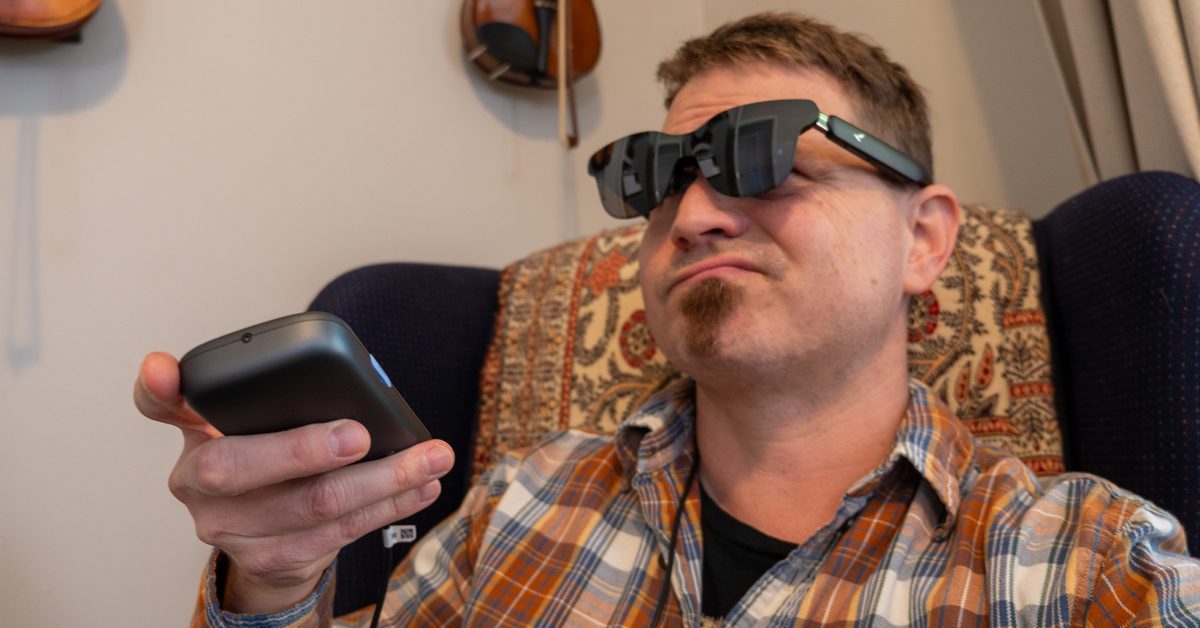
The Google TV platform is amazing on the big screen, but its limitations make it more frustrating than it should be on the mobile RayNeo Pocket TV Pro.
Google TV is the best thing that’s possibly ever happened to my TV. I switched to the Google TV Streamer about a year ago after my Roku streamer broke down, and I haven’t looked back. So when I got the chance to try the Google TV-powered RayNeo Pocket TV Pro — a TV remote-like device that hooks up to RayNeo smart glasses — I was ecstatic. This would be a dream come true on my next flight!
The setup was dead easy, and I was on the Play Store downloading all my favorite streaming apps within a minute. I loaded Netflix, found a few shows to keep me occupied for a few hours in an uncomfortable coach airplane seat, and went to hit that shiny red download button. Alas, the download button didn’t exist.
Surely this was a mistake? Maybe that show just didn’t support offline downloads. I found another one and ran into the same problem. Turns out, the Netflix app on the Google TV platform doesn’t support offline downloads. Major bummer, but that’s alright; I’ve got like half a dozen other streaming apps to choose from.
Unfortunately, every single streaming app doesn’t support offline downloads on the Google TV platform. Netflix, Prime Video, Disney+, HBO, even YouTube all don’t support offline downloads on the entire Google TV platform. I was befuddled. How could this have possibly slipped past testing, let alone into a final product? The RayNeo Pocket TV Pro went back into the box, and there it sat for over a week until I returned from my trip.
The personal pocket TV for your home
Essentially, I was in the “you’re holding it wrong” kind of scenario with this product, but I imagine I won’t be the last person who thought you could use it like this. For me, this is now a useless product, because there’s never a time when I want to sit and watch something without my family. For someone else, however, this might be the actual dream product I originally thought it was, just for a very different individual.
Let’s say you love watching live sports, but your family outvoted you and is now on the main TV. A quick tap of the “Live TV” button on the remote will take you to the Google FreePlay app, where you can find a metric ton of free live content, including plenty of games to catch. You could also load up Hulu, ESPN, Amazon, or whatever other service might be airing the actual game you want to watch, too, since this is a full Google TV device.
Or, hey, maybe you want to catch up on the latest Knives Out movie, but you’ve got little kids who probably would have nightmares if they watched a murder mystery before bed. Slap on a pair of RayNeo GT smart glasses, plug it into the RayNeo Pocket TV Pro, and you’re watching Knives Out in a perfectly private cinema while your kids watch Moana for the 400th time.
All this is aided by a piece of hardware that feels absolutely perfect. The remote looks virtually identical to any Google TV streamer you can buy and weighs 208g, which is the same weight as the average smartphone. The large, circular directional pad makes navigation a breeze, and the prominent microphone button calls up Gemini instantly, so you can find anything in a few seconds.
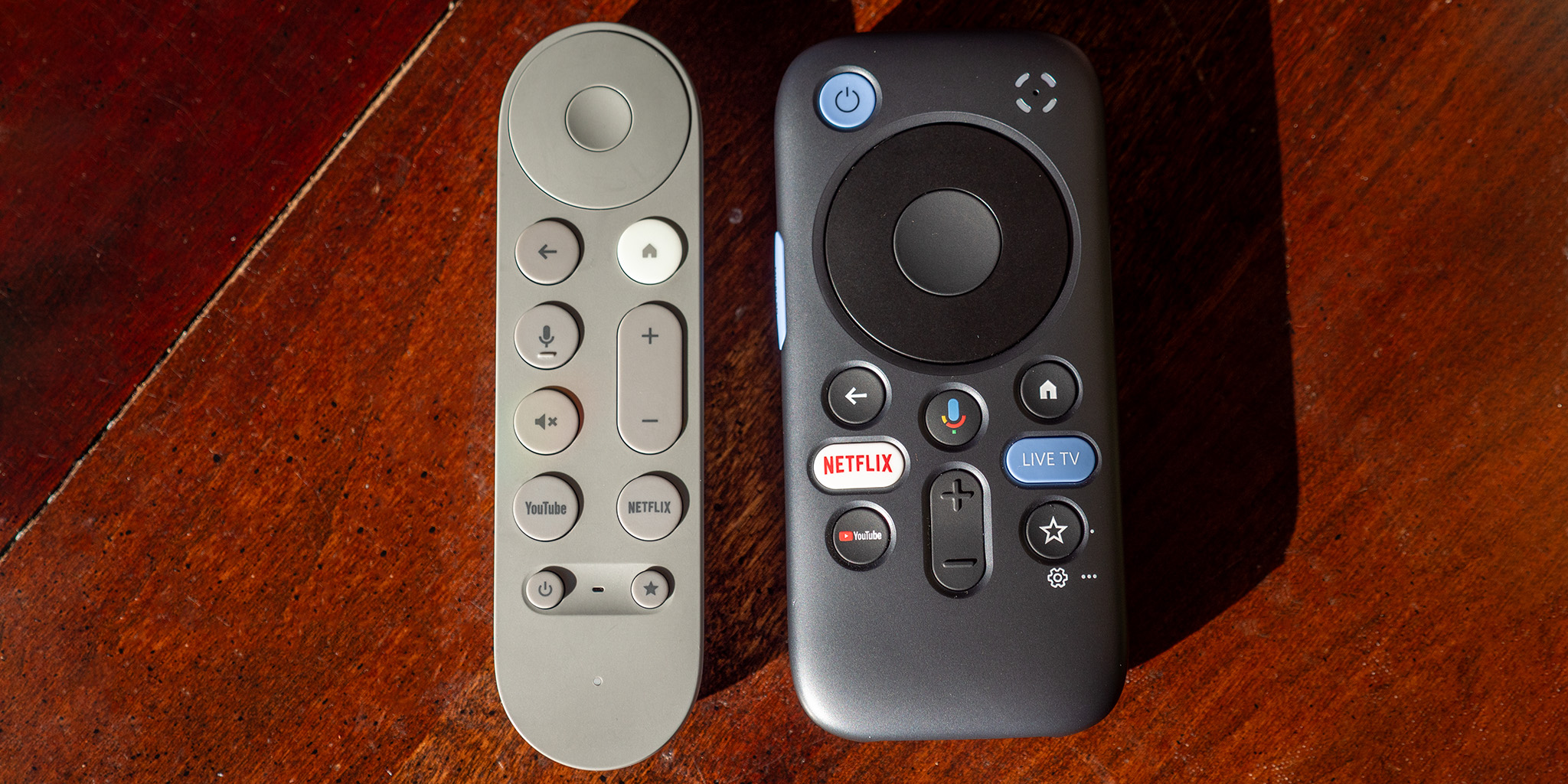
Even the battery life is quite good, lasting around 5 hours or so on a single charge. It’s got a dedicated USB-C port on the bottom for smart glasses output, and a separate port for charging, so you could plug this into an outlet or any portable battery (like this Anker Prime one) and keep it going for even longer. There’s even a microSD card port on the side for people who own digital copies of movies or TV shows, which would have fixed my problem if I did.
And as a full-fledged Google TV device, this one has every single app you know and love from your actual TV in your house. There’s quite literally no difference in the software; it’s just ultra-private now that it works on a pair of smart glasses. The only way it would get better is, of course, if the same streaming apps that allow offline downloads on phones worked here.
More on Google TV:
- Next-gen Google TV Streamer in the works with microphones, presence sensing, & new remote
- Google TV shows off its ‘new’ features in fullscreen roundup when you turn on your TV [Gallery]
- Pocket Casts app now available on Android TV
Follow Nick:YouTube, X (Twitter), Threads, Instagram
You’re reading 9to5Google — experts who break news about Google and its surrounding ecosystem, day after day. Be sure to check out our homepage for all the latest news, and follow 9to5Google on Twitter, Facebook, and LinkedIn to stay in the loop. Don’t know where to start? Check out our exclusive stories, reviews, how-tos, and subscribe to our YouTube channel
