

Introduction
If you have worked with building text classification models, chances are you got familiar with the usual drill: collecting hundreds to thousands of labeled examples, cleaning the raw text, converting it to suitable numerical representations for machine learning models — like embeddings or TF-IDF — and training your model, such as a logistic regression or random forest classifier.
However, when large language models (LLMs) came along, they changed the rules of the game — and that includes traditional machine learning pipelines to some extent. Now it is possible to classify a text by simply asking an LLM to do so. Here’s the catch: shifting from classical machine learning workflows to prompt engineering can be challenging. Scikit-LLM is a Python library that bridges the gap between both worlds. It wraps the powerful capabilities of pre-trained LLMs behind the familiar scikit-learn interface — namely fit() and predict().
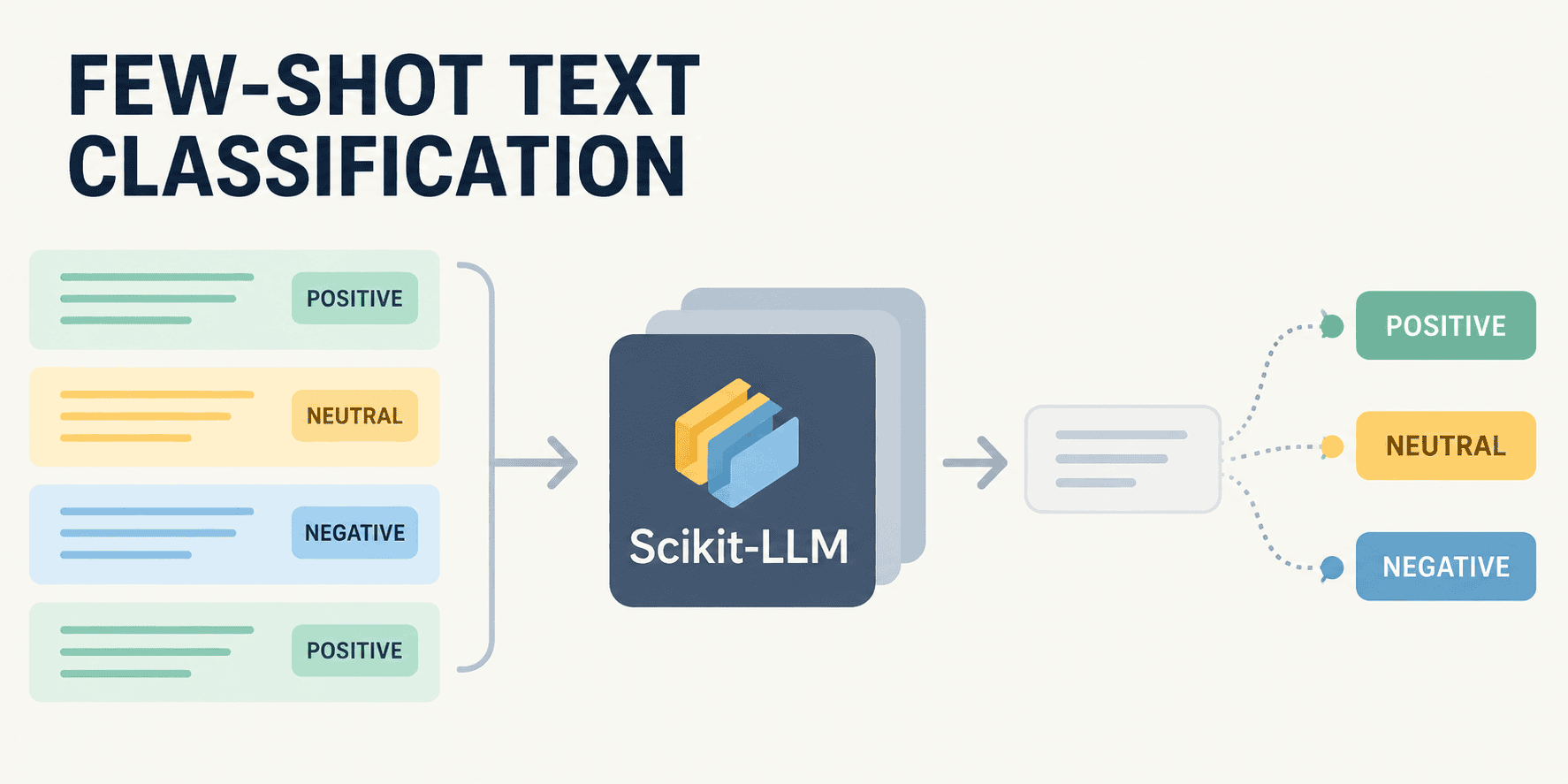
This article shows how to use Scikit-LLM for one of the simplest yet most practical text classification tasks in the modern AI landscape: few-shot classification, that is, classifying text based on a small number of labeled examples that guide the LLM on what to do and how.
Zero-Shot vs. Few-Shot Classification
Before getting into our Python example, it’s worth clarifying the difference between few-shot classification and another form of text classification that also gained popularity with the rise of LLMs: zero-shot classification.
- Zero-shot classification: The model is given a text together with a list of possible labels and asked to categorize the text under the most suitable one — all without any input-output examples. This paradigm relies entirely on the LLM’s internal knowledge gained during pre-training.
- Few-shot classification: A small set of labeled examples, or “shots” (texts with associated class labels), is passed to the model before asking it to classify a new, unlabeled text. These domain-specific examples supplement the model’s internal knowledge and better guide its reasoning.
Few-shot classification is typically better than its zero-shot counterpart for highly domain-specific text classification tasks where texts contain specific jargon, edge cases, or nuanced sentiments. In most cases, providing just 3 to 5 labeled examples may suffice to “teach” a pre-trained LLM the extra rules it needs to perform a good classification — all without retraining the whole model.
The good news: Scikit-LLM makes this process remarkably easy. Here’s how it works.
Running Few-Shot Classification with Scikit-LLM, Step by Step
This example can be run entirely in a Google Colab notebook. It uses Groq‘s LLM API, which provides access to free models. As a prerequisite, register on the Groq website and generate your own API key. Once generated, carefully copy your API key and paste it as a new “Secret” variable in Google Colab — found at the key icon on the left-hand side of Colab. Name the secret variable GROQ_API_KEY.
After that, install Scikit-LLM as follows:
!pip install scikit-llm -qWhile Scikit-LLM is built to operate with OpenAI-compatible LLM endpoints, Groq’s API is among them. The following code retrieves your Groq API key and applies the necessary configuration to set up access to the endpoint.
from google.colab import userdata
from skllm.config import SKLLMConfig

# Retrieve the API key securely from Google Colab Secrets
groq_key = userdata.get('GROQ_API_KEY')

# Point scikit-LLM to Groq's OpenAI-compatible endpoint
SKLLMConfig.set_gpt_url("https://api.groq.com/openai/v1")
SKLLMConfig.set_openai_key(groq_key)
Next, we prepare the dataset. To use few-shot classification, we don’t need a large labeled dataset as we would for training a new model from scratch. Instead, we need a small, representative set of labeled “few-shot” examples and their associated labels. Let’s assume we want to classify IT support tickets into three categories. Following the classical machine learning convention, we name the few-shot examples and their labels X_train and y_train respectively. We also define X_test, which contains three unlabeled texts we want to classify:
# Our "Few-Shot" examples to teach the model the nuances
X_train = [
    "My laptop screen is flickering heavily.",
    "I need a new mouse, the scroll wheel is broken.",
    "Excel keeps crashing every time I open a macro.",
    "How do I update to the latest version of Photoshop?",
    "I forgot my VPN password.",
    "Can you grant me admin rights to the shared drive?"
]

y_train = [
    "Hardware",
    "Hardware",
    "Software",
    "Software",
    "Access",
    "Access"
]

# The unseen data we want to actually predict
X_test = [
    "The keyboard types double letters randomly.",
    "I am locked out of my email account.",
    "Zoom freezes when I share my screen."
]
To use Scikit-LLM, we import the key class for our target task: FewShotGPTClassifier. This class wraps a compatible model of our choice — such as Groq’s openai/gpt-oss-20b — inside a task-specific layer that lets us use it just like a classical machine learning model trained with scikit-learn.
from skllm.models.gpt.classification.few_shot import FewShotGPTClassifier

# Use a confirmed 2026 free-tier model on Groq, ensuring the custom_url:: prefix is present
clf = FewShotGPTClassifier(model="custom_url::openai/gpt-oss-20b")

# "Train" the model (constructs the few-shot prompt memory)
clf.fit(X_train, y_train)
Importantly, fit() does not perform actual training (weight updating) on the LLM. It simply builds a few-shot prompt memory for the model, containing the labeled examples it will rely on for reasoning and generating its responses.
All it takes now is calling predict() to obtain predictions on our unlabeled text examples:
# Generate predictions
predictions = clf.predict(X_test)

# Display the results
for text, label in zip(X_test, predictions):
    print(f"Ticket: '{text}'nPredicted Category: {label}n")
The classification labels the model assigns to these three support tickets are exactly what we’d expect — all three are correct:
Ticket: 'The keyboard types double letters randomly.'
Predicted Category: Hardware

Ticket: 'I am locked out of my email account.'
Predicted Category: Access

Ticket: 'Zoom freezes when I share my screen.'
Predicted Category: Software
Wrapping Up
This article has shown how Scikit-LLM’s elegant design lets you turn pre-trained, open LLMs into machine learning engines capable of performing domain-specific tasks like few-shot classification. No heavy model retraining is required, and no large paid models are needed — just a handful of labeled examples is enough for the model to classify new texts accurately.
Iván Palomares Carrascosa is a leader, writer, speaker, and adviser in AI, machine learning, deep learning & LLMs. He trains and guides others in harnessing AI in the real world.
