

Get ready to pay for more expensive iCloud+ plans.
With the release of iOS 27, Apple is deploying its much-anticipated Siri AI suite of features across its software ecosystem. One noteworthy change is coming to Apple HomeKit, as the Cupertino company injects Apple Intelligence into its home security camera system.
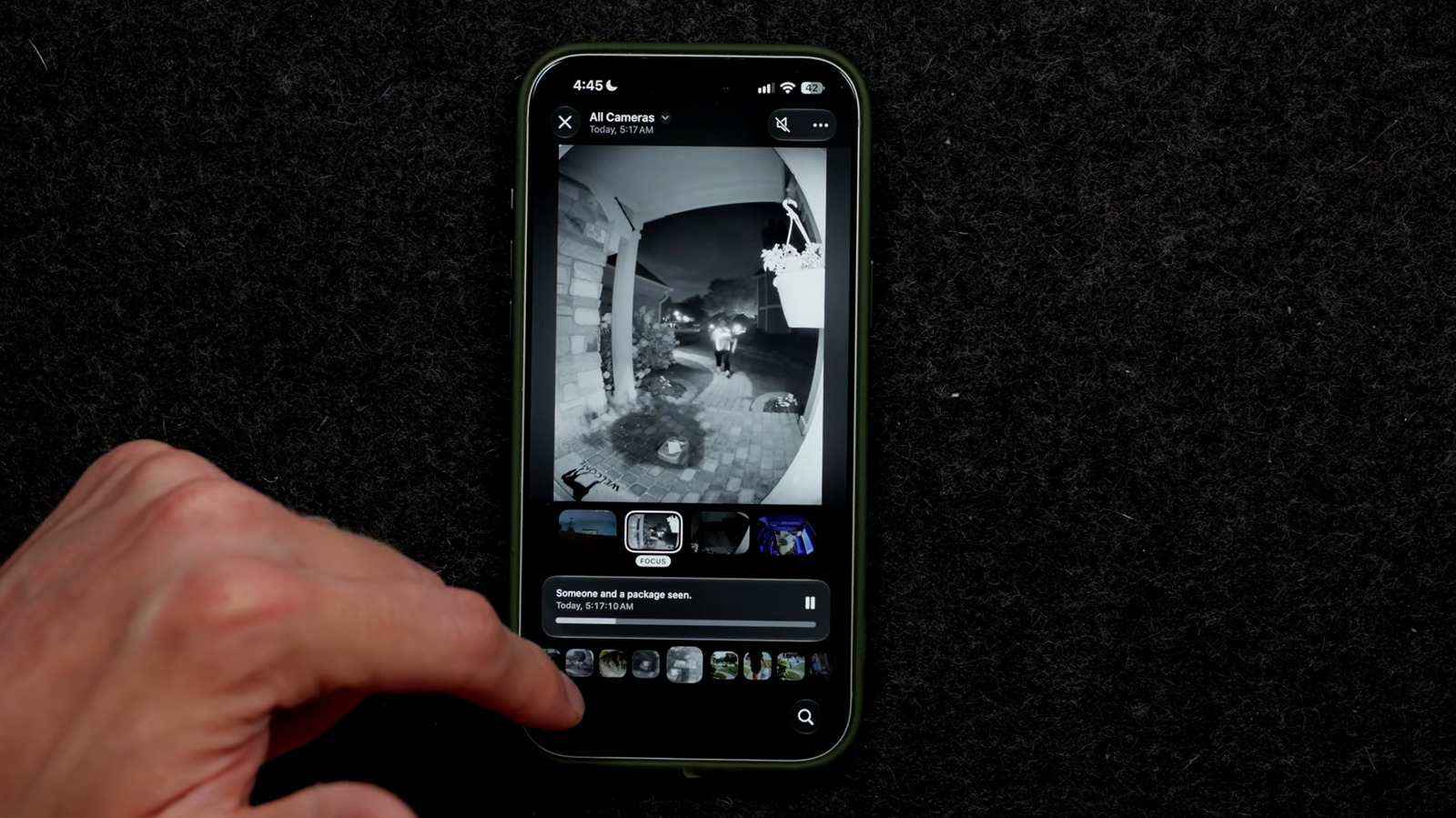
The upgrade launches Apple’s video summary feature, where you can generate descriptions of videos caught on your home security system. The feature groups together related clips across multiple cameras for a comprehensive picture of a specific event, allowing you to easily review events that occur at your home. For instance, Apple’s press release announcing the feature shows a man identified as Robert arriving at a home with a fruit bowl of fruit, an example showcasing how HomeKit’s Apple Intelligence and Face Recognition software work together to generate these summaries. You can also search these recordings using natural language queries, as well as group similar videos together to reduce notifications. And while your willingness to invite yet another AI algorithm into your life may vary, it’s no doubt that the new feature is another sign of AI’s continued push into modern smarthomes.
Notably, the feature won’t be available to all Apple HomeKit users. As it stands, you must have at least a 2nd generation HomePod, HomePod Mini or Apple TV 4K running Apple’s latest operating system. You also need to use an Apple Intelligence-enabled iPhone, nominally the iPhone 15 Pro or later. But the biggest barrier is likely the price of the program’s cloud storage, which could cost you up to $60 per month, depending on your number of cameras. For a list of compatible cameras, visit Apple’s <a href="https://myappsplus.com/apples-smart-home-hub-will-reportedly-be-called-homeview/" title="Apple's smart home hub will reportedly be called HomeView”>Smart Home Accessory website.
A costly new feature
Charging extra for a HomeKit Secure video cloud storage plan isn’t anything new. Prior to the AI update, users could hook up a network of cameras using 50 GB, 200 GB, and 2 TB iCloud+ plans. However, the new AI features require you to pay for significantly more expensive iCloud+ plans. For just a single camera, for instance, you will need to invest in Apple’s 2 TB iCloud+ plan, which will add $9.99 to your expenses. This monthly bill scales as you grow your home smart camera network. To operate a second Apple Intelligence-enabled camera, you’ll need to upgrade to Apple’s $29.99/month, 6 TB plan. Anything between 3 and the maximum 5 camera setup necessitates 12 TB of iCloud storage. This means that operating Apple Intelligence-enabled cameras around your home could cost a whopping $59.99 a month, meaning you may add more than $700 to your yearly household costs. Notably, this cloud storage is in addition your family’s iCloud storage plan.
Now, it’s worth mentioning that you can enjoy the benefits of Apple Intelligence’s HomeKit upgrades without deploying it across all your security cameras. For instance, you may want the AI summary feature for your front porch camera to track deliveries but may not find the same utility in analyzing the possum scurrying past your back window. Selectively deploying the feature may help reduce costs.
However, its just as important to note that these prices aren’t necessarily static. In its Apple Intelligence support page, Apple notes that supported cameras and iCloud+ features “may change over time.” Given the volatile pricing of AI-ladened subscriptions as companies desperately seek out profitability, it’s wise to view the consistency of these price structures with a dose of skepticism. Luckily, the feature is optional, so you won’t be registered into a costly subscription if you don’t plan on utilizing the feature. For now, anyway.
Setting up HomeKit’s AI features

If Apple’s home surveillance AI summary tool seems worth the investment, you can set up your new AI-enabled security system directly in your iPhone, iPad, or Mac. First, make sure your HomeKit Secure Video system is set up on your iPhone or iPad by going to Settings > your name > iCloud > Show All, > Home. If using a Mac, go to the Apple menu > System Settings > Your name, located at the top of the sidebar. From there, click iCloud > See All, Show All, or Show More Apps > Home.
To enable Home camera video descriptions, go to your iPhone’s Home app. Next, tap the Home tab, hit the three dotted icon and select Home Settings. Here, you can turn on Apple Intelligence. Once completed, you can choose which cameras you would like to enable or disable the video descriptions feature for.
If you want your HomeKit to recognize visitors from your camera roll, return to your iPhone’s Home app. After adding your camera to your Home app’s homepage, go to Recognize Familiar Faces, turn on Face Recognition, and tap Continue. To add recent visitors to your camera’s catalog, go to the Home tab, tap the camera, and select the gear icon. Next, go to Face Recognition, tap the unidentified person in your Recent list, and tap Add Name. Here, you can add appropriate identifiers and even choose whether you’d like to be notified whenever said person enters your camera view.
To stop your smart home system from alerting you every time a racoon treks by, reduce your notifications through the Home app on your iPhone. Visit your system settings by going to Home > three dotted icon > Home Settings. Next, tap Apple Intelligence, and enable Reduce Notifications.
