Close Menu
MyAppsPlus

    Subscribe to Updates

    Get the latest creative news from FooBar about art, design and business.

    What's Hot

    Apple planning huge iPhone Duo demo experiences at select retail stores: report

    October 11, 2026

    Amazon Alexa Tablet 12 Pro vs iPad Air: The tablets compared

    October 11, 2026

    Oscal Pilot 8 rugged phone review

    October 11, 2026
    Facebook X (Twitter) Instagram
    Facebook X (Twitter) Instagram
    MyAppsPlusMyAppsPlus
    Sunday, October 11
    • Home
    • Breaking Tech
    • Apps & Software
    • AI & Automation
    • Android
    • iPhone & iOS
    • More
      • Reviews
      • How-To Guides
      • Deals & Discounts
      • Shop
    MyAppsPlus
    Home»Breaking Tech»Why strong magnets can hinder the iPhone’s rear-facing camera
    Breaking Tech

    Why strong magnets can hinder the iPhone’s rear-facing camera

    myappsplusBy myappsplusOctober 11, 2026003 Mins Read
    Share Facebook Twitter Pinterest Copy Link LinkedIn Tumblr Email Telegram WhatsApp
    Follow Us
    Google News Flipboard
    Why strong magnets can hinder the iPhone’s rear-facing camera
    Share
    Facebook Twitter LinkedIn Pinterest Email Copy Link

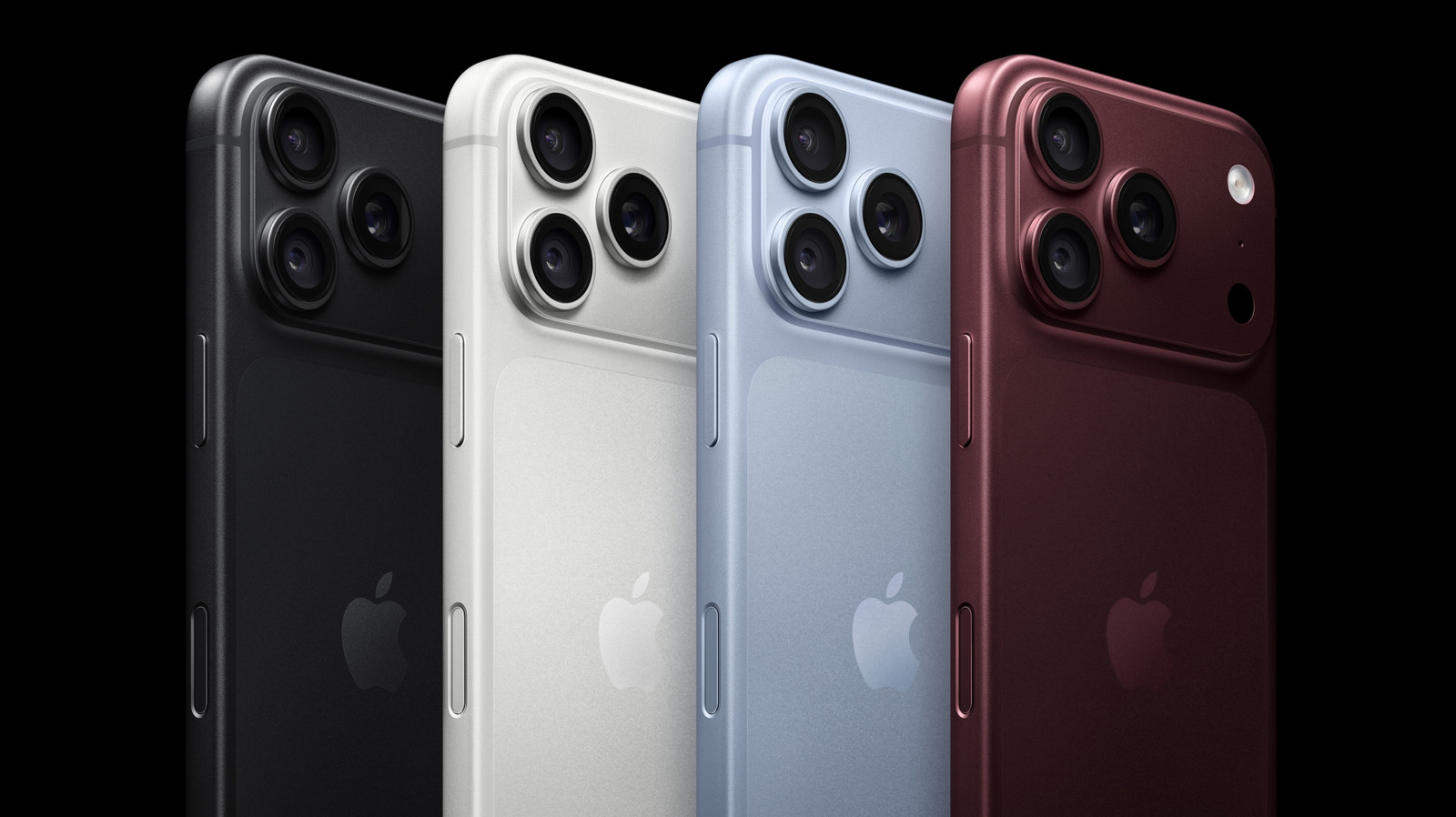
    Magnetic accessories can be handy, but make sure they’re not interfering with your camera.

    Apple continues to up its camera game. This September, Apple debuted its iPhone 18 Pro and Pro Max, a lineup which introduced its most advanced camera system to date. The new 48-megapixel Fusion Main camera comes with variable aperture, low-light sensor and pro controls that render sharper shots for amateurs and professionals alike. But what if I told you that your phone’s accessories could ruin these photos outright?

    Frequently, your favorite iPhone accessory depends on strong magnets and magnetized metal plates to stick to your phone’s casing. Whether you’re using a removable grip, car mount, power bank or ring lights, you are potentially placing strong magnetic fields. And while they likely don’t affect your phone’s internal systems, Apple has found that these magnets interfere with your phone’s camera.

    This occurs because the rear-facing cameras on your iPhone use image stabilization technologies to prevent blurring and preserve focus. Such lens-position sensors are hypersensitive to magnetic fields and may become disabled when near certain accessories. On its support page, Apple suggests magnetic accessories may cause your camera’s images to blur. Other auxiliary factors, such as exposure to high amplitude vibrations, such as those produced by high-powered motorcycles, can also cause lasting damage to these camera sensors.

    All about the magnets

    Your iPhone relies on two magnet-sensitive lens-positioning sensor technologies to stabilize your camera’s pictures. The first is known as optical image stabilization, or OIS, which uses a gyroscope to sense the movements of your camera when taking a photo. If you move while taking a photo, your OIS will reduce how much the image blurs by adjusting the lens to match the gyroscope’s movements. In doing so, OIS reduces image motion, allowing you to take sharp, crisp images.

    The second, known as closed-loop autofocus, prevents gravity and vibrations from causing motion blur through onboard accelerometers, a form of magnetic sensor that measures these outside factors and compensates your camera’s lens position. By adjusting its lenses’ focus, your iPhone can preserve the sharpness in your videos, panoramas, and camera stills. 

    Magnets can have a pronounced effect on these photo-correction processes. This is because lens-position sensors are sensitive to the interference cause by strong magnetic fields. If you place a magnet too close to your camera lens, you may notice that its motion sensing becomes less accurate. The range of your camera’s lens may also be limited. And while your camera’s autofocus and OIS sensors may be disabled, your camera will still be able to take photos using other stabilization methods.

    Luckily, the solution to this problem is simple: avoid accessories that place magnetic fields close to your cameras. In particular, Apple warns users to be wary of third-party accessories with strong magnets like latch folio covers or car mounts. When shopping for your next favorite iPhone accessory, consider whether worse picture quality may be an unfortunate tradeoff. Of course, avoiding magnets doesn’t guarantee that your camera will work without a hitch, since there may be more underlying issues at work. For a step-by-step guide to troubleshooting your iPhone’s camera, visit Apple’s support page.

    Apple hinder iPhones magnets strong
    Follow on Google News Follow on Flipboard
    Share. Facebook Twitter Pinterest LinkedIn Tumblr Email Copy Link
    myappsplus
    • Website

    Related Posts

    The meaning behind the padlock symbol in your PlayStation 5 game library

    October 11, 2026

    The investor’s guide to TechCrunch Disrupt 2026: Everything you need to know

    October 11, 2026

    Can the AI industry persuade data center opponents by getting rid of NDAs?

    October 11, 2026
    Add A Comment
    Leave A Reply Cancel Reply

    Top Posts

    What was the PSX? The souped-up PS2 rarely sold outside of Japan

    September 14, 202610 Views

    Can reviews settle disputes that marked first two seasons?

    September 21, 20268 Views

    Experts call for leveraging AI, breaking key tech bottlenecks to propel advanced manufacturing

    September 19, 20268 Views
    Latest Reviews

    Android 17 boosts network security by hiding domain names, lets carriers disable 2G

    myappsplusAugust 28, 2026

    Google Messages officially announces custom ‘Chat themes’ & backgrounds

    myappsplusAugust 28, 2026

    Barret Zoph, the Thinking Machines co-founder ousted before joining OpenAI, is now at Google

    myappsplusAugust 28, 2026
    Stay In Touch
    • Facebook
    • YouTube
    • TikTok
    • WhatsApp
    • Twitter
    • Instagram

    Subscribe to Updates

    Get the latest tech news from FooBar about tech, design and biz.

    Most Popular

    How to watch College Football 2026/27 for FREE: NCAA live streams, TV channels, preview

    August 28, 20260 Views

    I hiked 7 miles with the Garmin Instinct 3 vs Samsung Galaxy Watch 9 — and the winner is clear as day

    August 28, 20260 Views

    OpenAI, Anthropic, Google, and 100 other companies call for action to defend against rogue AI

    August 28, 20260 Views
    Our Picks

    Apple planning huge iPhone Duo demo experiences at select retail stores: report

    October 11, 2026

    Amazon Alexa Tablet 12 Pro vs iPad Air: The tablets compared

    October 11, 2026

    Oscal Pilot 8 rugged phone review

    October 11, 2026

    Subscribe to Updates

    Subscribe to our newsletter and get the latest tech news, app updates, AI trends, smartphone reviews, and exclusive deals delivered straight to your inbox.

    Facebook X (Twitter) Instagram Pinterest
    • About Us
    • Get In Touch
    • Disclaimer
    • Privacy Policy
    • Terms & Conditions
    © 2026 MyAppsPlus. All Rights Reserved.

    Type above and press Enter to search. Press Esc to cancel.