
Close Menu
MyAppsPlus

    Subscribe to Updates

    Get the latest creative news from FooBar about art, design and business.

    What's Hot

    Keurig Alta vs Lavazza Tabli — Which eco-friendly coffee maker is right for you?

    November 21, 2026

    Sonos Beam (Gen 2) soundbar drops to a record-low $339

    November 21, 2026

    Engadget review recap: Apple HomeView, Ray-Ban Meta (Gen 3) and more

    November 21, 2026
    Facebook X (Twitter) Instagram
    Facebook X (Twitter) Instagram
    MyAppsPlusMyAppsPlus
    Saturday, November 21
    • Home
    • Breaking Tech
    • Apps & Software
    • AI & Automation
    • Android
    • iPhone & iOS
    • More
      • Reviews
      • How-To Guides
      • Deals & Discounts
      • Shop
    MyAppsPlus
    Home»Breaking Tech»Why do some PCs have two Ethernet ports?
    Breaking Tech

    Why do some PCs have two Ethernet ports?

    myappsplusBy myappsplusOctober 7, 2026033 Mins Read
    Share Facebook Twitter Pinterest Copy Link LinkedIn Tumblr Email Telegram WhatsApp
    Follow Us
    Google News Flipboard
    Why do some PCs have two Ethernet ports?
    Share
    Facebook Twitter LinkedIn Pinterest Email Copy Link

    Your PC probably doesn’t need both ports, but workstations and servers can put them to work.

    The two Ethernet ports on some PCs aren’t a matter of aesthetics or a simple selling point. Their primary purpose is to provide the computer with more networking options, like backup connections or separate networks. If it’s configured for failover and you lose a network connection on one, you still have access through the other. In most cases, it’s a feature that’s primarily relevant for workstations, servers or virtualization setups. Your home internet likely doesn’t go out often enough to justify paying for a second connection you only need when the first is unavailable. 

    Dual ports can also support link aggregation (sometimes called NIC teaming or bonding). Put simply, link aggregation allows the PC (and a managed switch, in some setups) to combine two Ethernet links into a single connection. This has the added benefit of boosting bandwidth while maintaining the aforementioned redundancy.

    Don’t expect two Ethernet to magically double your internet plan; you’re not going from 1 Gbps down to 2 Gbps. Link aggregation has to be supported and configured on both ends, and while you can share the extra capacity, data transfer generally remains limited to the speed of one link.

    Keep networks separate

    The most useful benefit of two Ethernet ports is network versatility, especially with everything Ethernet cables can do. For example, one port can connect to your regular home network, while the other can connect to a local network (like industrial equipment in a laboratory) or a dedicated storage drive. It’s a good method for separating traffic for security purposes or to boost performance.

    You can use this feature to turn a small PC into a router or run virtual machines. Virtualization software can assign each virtual machine to a specific Ethernet port, allowing one VM to use a certain network while the PC uses another. While Ethernet cables still have limits, having two Ethernet ports open the door to a more efficient workplace or workflow, especially for those working in cybersecurity, network administration or running a small business server.

    For a desktop PC at home, something the family uses or a gaming setup, the additional port is more of a nice addition. It’s useful if you have a specific need for it, but not necessarily a must-have option.

    Will two Ethernet cables slow internet speed?
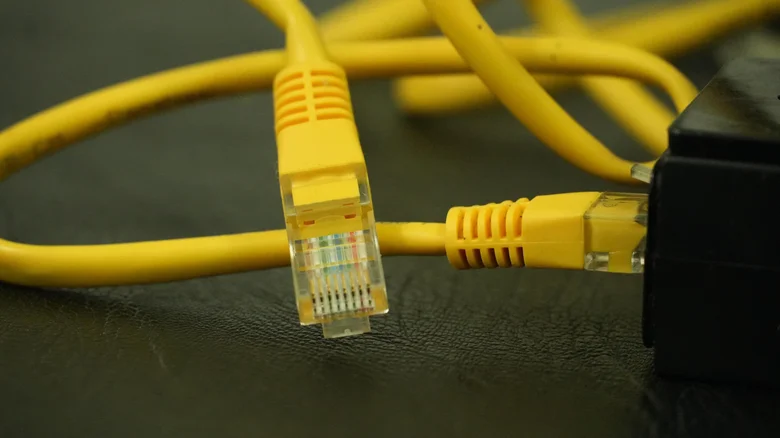
    Yellow Ethernet cables connecting to a device.

    Using both ports at the same time won’t inherently slow down or speed up an internet connection. Just connecting two Ethernet cables into the back of your PC won’t boost or drop anything, except for your workflow potential. Without setting it up correctly for a specific purpose, it could even cause connection issues. Link aggregation exists specifically for grouping multiple links safely.

    For most home PCs, a single Ethernet port is all you will ever need. Alone, it will provide the stable, wired connection you expect and is generally a better option than a wireless connection. If you have a second Ethernet port, reserve it for something specific like large file transfers to a NAS or home media server.

    It’s not an extra outlet for simply adding more wired devices to your home network. If your router is out of ports, use an Ethernet switch instead.

    Computing Ethernet have ports Some
    Follow on Google News Follow on Flipboard
    Share. Facebook Twitter Pinterest LinkedIn Tumblr Email Copy Link
    myappsplus
    • Website

    Related Posts

    Engadget review recap: Apple HomeView, Ray-Ban Meta (Gen 3) and more

    November 21, 2026

    The Flipper One is more than a Zero 2.0 – it’s a $399 Linux computer with a $13M Kickstarter

    November 21, 2026

    Chinese tech firms fear AI hits from US curbs

    November 21, 2026
    Add A Comment
    Leave A Reply Cancel Reply

    Top Posts

    UiPath Launches AI Coding Agent, Integrates Claude Code and Codex to Target Development Automation

    November 16, 202644 Views

    The pros and cons of using your phone as a mobile hotspot

    November 16, 202642 Views

    Save on your groceries, gas, and holiday shopping with this $15 BJ’s membership (Reg. $60) 

    November 4, 202633 Views
    Latest Reviews

    Create, edit, and humanize AI content for life with UmanWrite for $79 ($1,799 value)

    myappsplusSeptember 10, 2026

    FBI launches investigation after 153 million drivers licenses apparently leaked on Russian cybercrime forum

    myappsplusSeptember 10, 2026

    IDScan is offering free credit monitoring and ID protection after leaking driver’s licenses

    myappsplusSeptember 10, 2026
    Stay In Touch
    • Facebook
    • YouTube
    • TikTok
    • WhatsApp
    • Twitter
    • Instagram

    Subscribe to Updates

    Get the latest tech news from FooBar about tech, design and biz.

    Most Popular

    Leaving Online Reviews Could Make You a Phishing Target, According To Study

    September 10, 20260 Views

    ‘I love this place; it’s in my blood. Goosebumps’; John Ternus on how he felt when he learned he was becoming Apple CEO, and why AI may be the key to future Apple innovation

    September 10, 20260 Views

    Anthropic Says Claude AI Blocked Biological Weapons Attempts

    September 11, 20260 Views
    Our Picks

    Keurig Alta vs Lavazza Tabli — Which eco-friendly coffee maker is right for you?

    November 21, 2026

    Sonos Beam (Gen 2) soundbar drops to a record-low $339

    November 21, 2026

    Engadget review recap: Apple HomeView, Ray-Ban Meta (Gen 3) and more

    November 21, 2026

    Subscribe to Updates

    Subscribe to our newsletter and get the latest tech news, app updates, AI trends, smartphone reviews, and exclusive deals delivered straight to your inbox.

    Facebook X (Twitter) Instagram Pinterest
    • About Us
    • Get In Touch
    • Disclaimer
    • Privacy Policy
    • Terms & Conditions
    © 2026 MyAppsPlus. All Rights Reserved.

    Type above and press Enter to search. Press Esc to cancel.