Close Menu
MyAppsPlus

    Subscribe to Updates

    Get the latest creative news from FooBar about art, design and business.

    What's Hot

    Save $230 on Sony WH-1000XM5 headphones in Midnight Blue

    November 26, 2026

    Amazon’s Alexa Tablet 12 Pro is $150 off for Black Friday

    November 26, 2026

    Kodak Launches Unique AirTag Rival With E-Ink Display

    November 26, 2026
    Facebook X (Twitter) Instagram
    Facebook X (Twitter) Instagram
    MyAppsPlusMyAppsPlus
    Thursday, November 26
    • Home
    • Breaking Tech
    • Apps & Software
    • AI & Automation
    • Android
    • iPhone & iOS
    • More
      • Reviews
      • How-To Guides
      • Deals & Discounts
      • Shop
    MyAppsPlus
    Home»Breaking Tech»What is the purpose of a battery symbol next to a USB Port?
    Breaking Tech

    What is the purpose of a battery symbol next to a USB Port?

    myappsplusBy myappsplusOctober 6, 2026043 Mins Read
    Share Facebook Twitter Pinterest Copy Link LinkedIn Tumblr Email Telegram WhatsApp
    Follow Us
    Google News Flipboard
    What is the purpose of a battery symbol next to a USB Port?
    Share
    Facebook Twitter LinkedIn Pinterest Email Copy Link

    Typically, it means faster charging speeds and bi-directional charging.

    The more USB ports on a device, the better, but things can get confusing when they all have a different symbol on them. Among the markings seen next to USB ports, it’s not uncommon to see a battery icon, which typically indicates that it’s a USB Power Delivery port. Known as USB PD for short, this port means it can deliver higher power levels than a typical USB port, but can also charge connected devices.

    The USB PD charging protocol has a long history and was first introduced in 2012, meaning it predates the debut of the USB-C port. However, USB PD was updated in 2021 and is now able to deliver up to 240W of power, meaning it can support more demanding devices like high-end laptops or some monitors. Beyond supplying more power, the USB PD port has some cool use cases that you might not know about.

    What can you do with a USB port with a battery symbol?
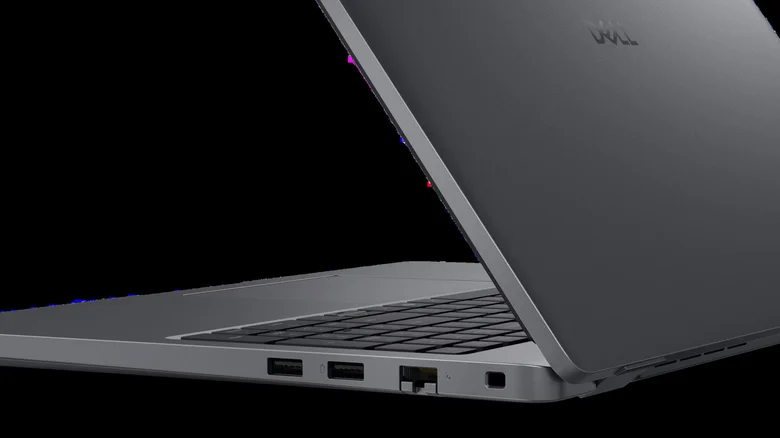
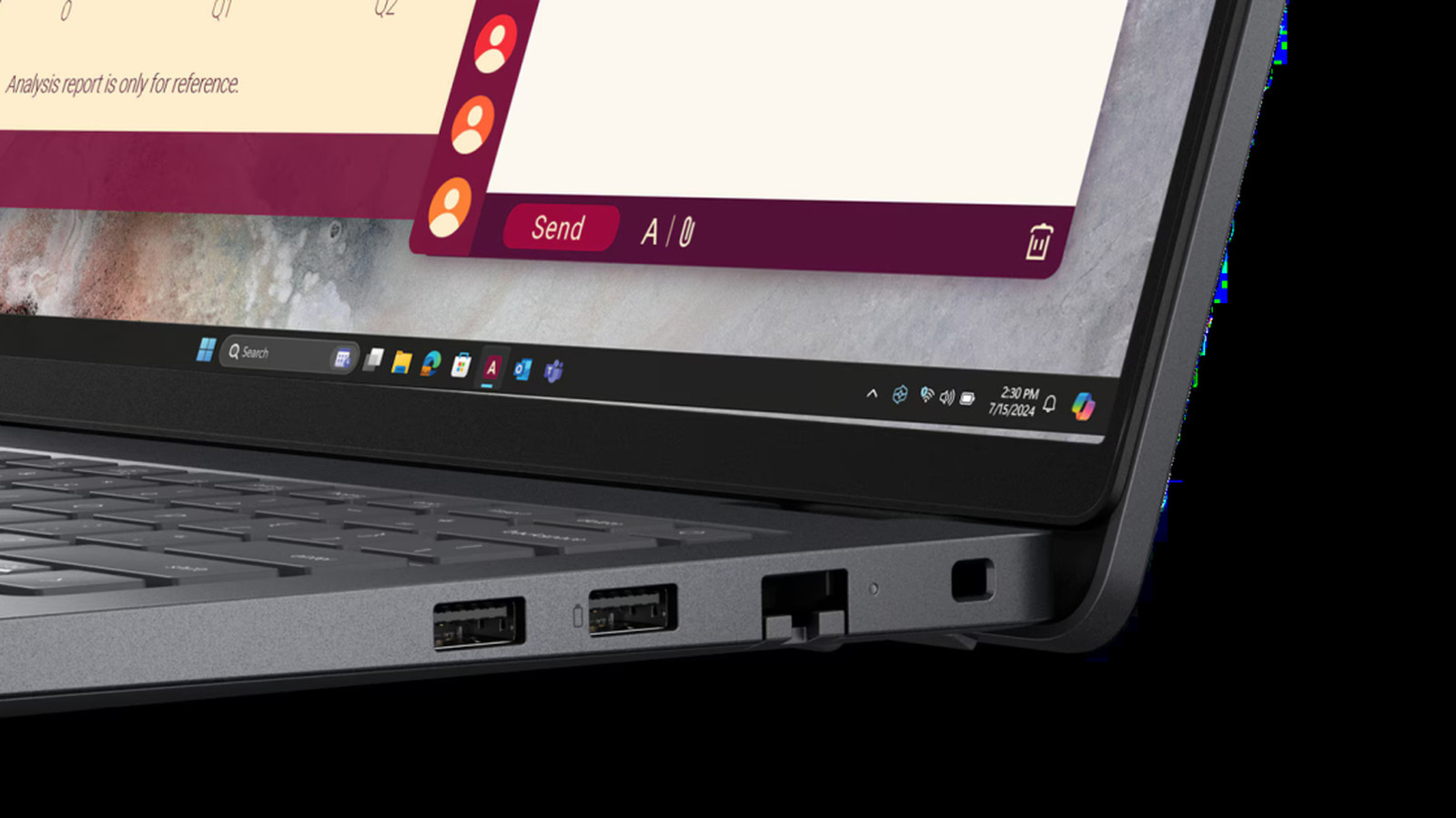
    Dell's Pro 16 laptop and its USB ports with a battery symbol next to it

    When you see a battery symbol next to a USB port, it can mean a few things. Most commonly, the icon means that port is USB PD compatible and can offer a more sophisticated charging protocol. Using USB PD, you can charge your laptop faster since Power Delivery conducts an intelligent digital handshake between device and charger that provides the right amount of voltage and current without the risk of overheating.

    The battery symbol could also translate to another useful feature in the form of bidirectional charging. When looking at your laptop’s USB ports, you can use the one with a battery symbol to charge another device, like your smartphone or AirPods. Even further, some laptops’ USB ports with this symbol can charge a device even when it’s asleep or shut down thanks to “Always On” charging. Keep in mind that leaving your smartphone plugged into your laptop’s compatible port can completely drain the battery. Luckily, most laptop makers have included a way to disable this charging feature.

    Does a battery symbol always mean USB PD?
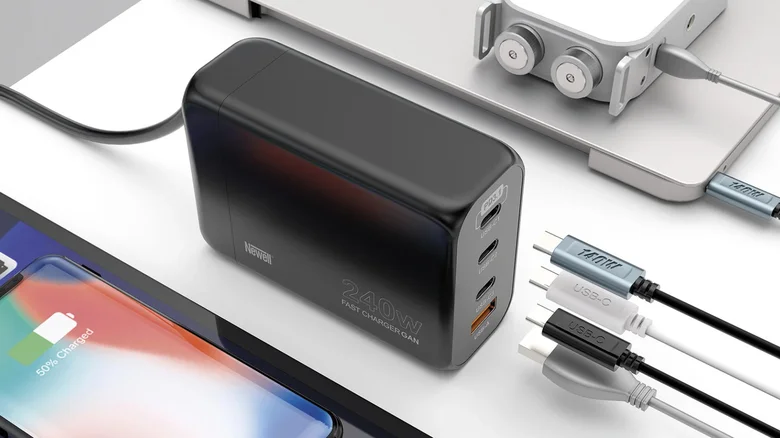
    USB-C charger with power delivery port

    As much sense as a battery icon makes, USB PD has somewhat of an identity crisis when it comes to the symbol that represents it. According to the USB Implementers Forum, the nonprofit corporation that created and set the official USB standards, the official symbol is a battery shape made with negative space.
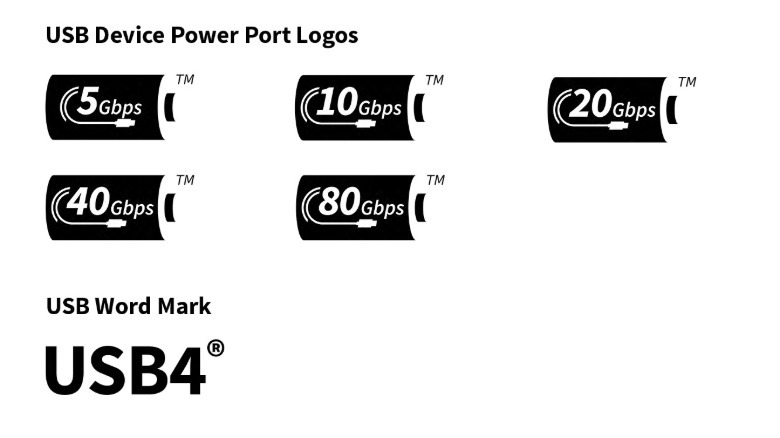
    USB Power Delivery symbols

    Members of the USB Implementers Forum include Apple, Microsoft and HP, but not all companies align with how they indicate that a USB port is equipped with the Power Delivery charging protocol. Across devices, there can be the official battery symbol from the USB Implementers Forum, a different battery logo, a lightning bolt (not to be confused with the Thunderbolt symbol) or even simply the letters “PD” to indicate that it’s a USB PD port. On top of that, some companies will have USB ports that are compatible with the USB PD protocol but don’t indicate it, like Apple’s Thunderbolt ports for its MacBooks. If in doubt, it’s best to check the manufacturer’s specifications in a user manual.

    battery Computing purpose symbol What
    Follow on Google News Follow on Flipboard
    Share. Facebook Twitter Pinterest LinkedIn Tumblr Email Copy Link
    myappsplus
    • Website

    Related Posts

    DHSC to host webinar for Med-Tech sector with Rebuilding Futures Alliance

    November 26, 2026

    The Screens app will let you turn your iPhone Duo into an itty bitty MacBook

    November 26, 2026

    Casetify’s Pokémon 30th anniversary collection includes a Poké Ball case for your AirPods

    November 26, 2026
    Add A Comment
    Leave A Reply Cancel Reply

    Top Posts

    The pros and cons of using your phone as a mobile hotspot

    November 16, 202649 Views

    UiPath Launches AI Coding Agent, Integrates Claude Code and Codex to Target Development Automation

    November 16, 202646 Views

    Announcing Artificial Analysis Intelligence Index v5

    October 28, 202635 Views
    Latest Reviews

    Revolut confirms customer data breach through fake government requests

    myappsplusSeptember 12, 2026

    How to watch Sabalenka vs Rybakina: US Open 2026 Women’s Final FREE Live Streams, TV Channels

    myappsplusSeptember 12, 2026

    How to know it’s time to replace your EV battery

    myappsplusSeptember 12, 2026
    Stay In Touch
    • Facebook
    • YouTube
    • TikTok
    • WhatsApp
    • Twitter
    • Instagram

    Subscribe to Updates

    Get the latest tech news from FooBar about tech, design and biz.

    Most Popular

    Some of the best budget running headphones just got a big discount on Amazon — save $70 on the Shokz OpenRun Pro

    September 12, 20260 Views

    OpenAI and Meta Take Separate Paths to Automating Marketing

    September 12, 20260 Views

    Walmart restocks $60 Onn 4K Pro for many following Google TV Streamer price hike

    September 12, 20260 Views
    Our Picks

    Save $230 on Sony WH-1000XM5 headphones in Midnight Blue

    November 26, 2026

    Amazon’s Alexa Tablet 12 Pro is $150 off for Black Friday

    November 26, 2026

    Kodak Launches Unique AirTag Rival With E-Ink Display

    November 26, 2026

    Subscribe to Updates

    Subscribe to our newsletter and get the latest tech news, app updates, AI trends, smartphone reviews, and exclusive deals delivered straight to your inbox.

    Facebook X (Twitter) Instagram Pinterest
    • About Us
    • Get In Touch
    • Disclaimer
    • Privacy Policy
    • Terms & Conditions
    © 2026 MyAppsPlus. All Rights Reserved.

    Type above and press Enter to search. Press Esc to cancel.