Close Menu
MyAppsPlus

    Subscribe to Updates

    Get the latest creative news from FooBar about art, design and business.

    What's Hot

    Agentic retrieval with LangChain and Amazon Bedrock Knowledge Bases

    October 6, 2026

    Common mistakes you should avoid when using foldable phones

    October 6, 2026

    HP’s cartridge-free Smart Tank 5003 ink tank printer hits its lowest ever price at Amazon hours before the October Prime Day sale starts — and includes 3 years’ free ink

    October 6, 2026
    Facebook X (Twitter) Instagram
    Facebook X (Twitter) Instagram
    MyAppsPlusMyAppsPlus
    Tuesday, October 6
    • Home
    • Breaking Tech
    • Apps & Software
    • AI & Automation
    • Android
    • iPhone & iOS
    • More
      • Reviews
      • How-To Guides
      • Deals & Discounts
      • Shop
    MyAppsPlus
    Home»Apps & Software»Googlebook gets Luminar photo editing app with ‘Continue On’ support
    Apps & Software

    Googlebook gets Luminar photo editing app with ‘Continue On’ support

    myappsplusBy myappsplusOctober 6, 2026002 Mins Read
    Share Facebook Twitter Pinterest Copy Link LinkedIn Tumblr Email Telegram WhatsApp
    Follow Us
    Google News Flipboard
    Googlebook gets Luminar photo editing app with ‘Continue On’ support
    Share
    Facebook Twitter LinkedIn Pinterest Email Copy Link

    One of the biggest questions around Googlebook is what app support will look like and, as the platform officially arrives for customers this week, Luminar is debuting a rebuilt photo editing app for Googlebook.

    Luminar is a photo editing app that’s available across desktop platforms like Mac and Windows, but it’s also on Android, iOS, iPad, and ChromeOS. Now, it’s also making the jump to Googlebook.

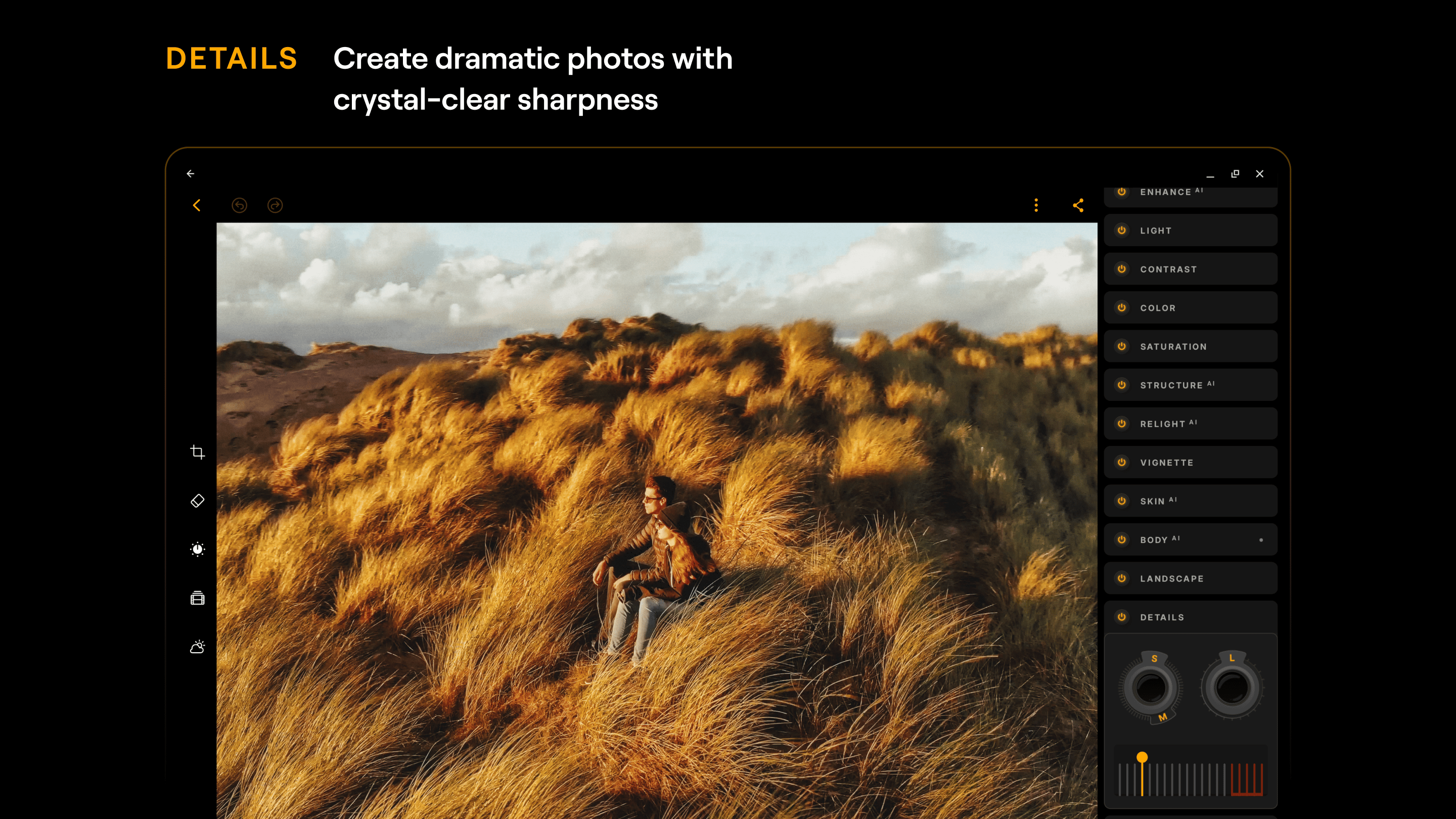
    The Luminar app has been rebuilt with support for Googlebok OS and meets “Tier 1” quality standards for the platform including keyboard shortcuts, resizable windows, drag-and-drop, and more.

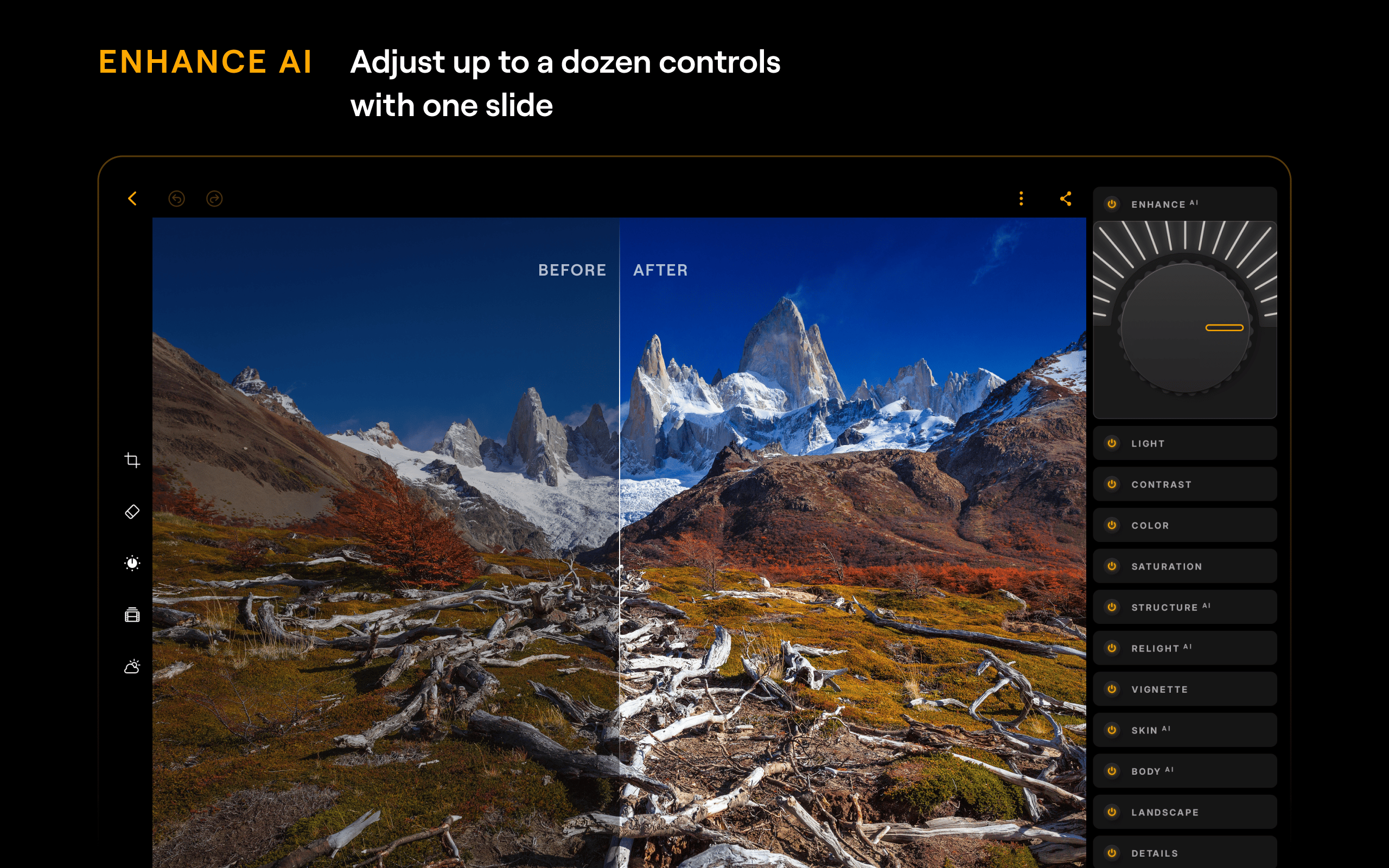
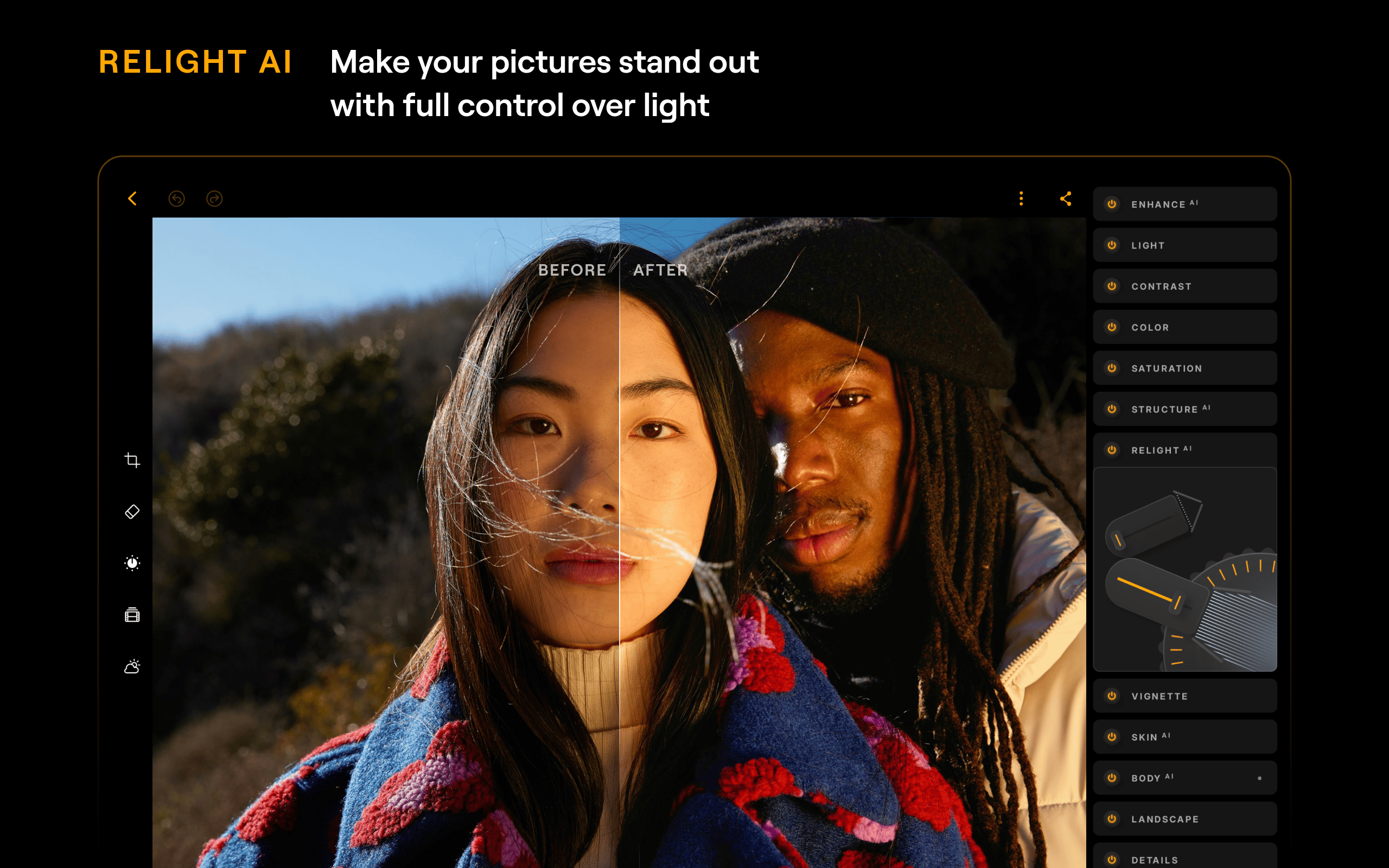
    That’s on top of Luminar’s existing Android support for photo editing which includes the ability to adjust qualities of your photo, handle RAW edits, and use AI for features such as swapping out a background, masking, and more. You can even start edits on your phone and finish on your Googlebook as Luminarsupports “Continue On.”

    Luminar explains in a press release:

    Luminar for Googlebook is fully adapted for large screens, meeting Google’s Tier 1 quality standards and introducing capabilities such as drag-and-drop, keyboard shortcuts, and resizable windows that weren’t previously available on phones and tablets. After several rounds of testing, Luminar has built a range of capabilities specifically for Googlebook OS:  

    • Built for the laptop: resizable windows, full mouse and keyboard support, shortcuts, hover states, multitasking, drag and drop, and file handling
    • New for launch: Generative Erase, HDR Merge, and batch editing – features usually associated with professional editing
    • One app, one subscription: use Luminar on an Android phone and on a Googlebook with the same account. [If available at launch:] With Continue On, you can start an edit on your phone and finish it on the laptop

    Googlebook owners can download Lunimarto Luminar for free, with a later one-time purchase unlocking the app’s premium features permanently

    More on Googlebook:

    • Googlebooks with Intel chipsets might have trouble with ‘complex’ Android apps
    • Fantastical’s long-awaited Android debut begins today on Googlebook
    • The Googlebook marketing push starts with Henry Cavill and his mustache

    Follow Ben: Twitter/X, Threads, Bluesky, and Instagram

    You’re reading 9to5Google — experts who break news about Google and its surrounding ecosystem, day after day. Be sure to check out our homepage for all the latest news, and follow 9to5Google on Twitter, Facebook, and LinkedIn to stay in the loop. Don’t know where to start? Check out our exclusive stories, reviews, how-tos, and subscribe to our YouTube channel

    gets Googlebook Luminar News photo
    Follow on Google News Follow on Flipboard
    Share. Facebook Twitter Pinterest LinkedIn Tumblr Email Copy Link
    myappsplus
    • Website

    Related Posts

    Googlebooks can’t install the Slack web app on day one

    October 6, 2026

    Apple may soon track when Google promotes Chrome inside Safari

    October 5, 2026

    Google Find Hub tags adding NFC support, better registration

    October 5, 2026
    Add A Comment
    Leave A Reply Cancel Reply

    Top Posts

    Can reviews settle disputes that marked first two seasons?

    September 21, 20268 Views

    Experts call for leveraging AI, breaking key tech bottlenecks to propel advanced manufacturing

    September 19, 20266 Views

    What was the PSX? The souped-up PS2 rarely sold outside of Japan

    September 14, 20266 Views
    Latest Reviews

    Orchestration is the new challenge for CX in the age of AI agents

    myappsplusAugust 26, 2026

    iOS 27 reveals Apple TV 4K, HomePod may get powerful new features

    myappsplusAugust 26, 2026

    This Android TV launcher just gave users much more control over their home screen

    myappsplusAugust 26, 2026
    Stay In Touch
    • Facebook
    • YouTube
    • TikTok
    • WhatsApp
    • Twitter
    • Instagram

    Subscribe to Updates

    Get the latest tech news from FooBar about tech, design and biz.

    Most Popular

    This Android TV launcher just gave users much more control over their home screen

    August 26, 20260 Views

    Galaxy S27 leaks reveal a design that Samsung just won’t kill

    August 26, 20260 Views

    Ex-Meta scientists want to bring visual AI to the factory floor

    August 26, 20260 Views
    Our Picks

    Agentic retrieval with LangChain and Amazon Bedrock Knowledge Bases

    October 6, 2026

    Common mistakes you should avoid when using foldable phones

    October 6, 2026

    HP’s cartridge-free Smart Tank 5003 ink tank printer hits its lowest ever price at Amazon hours before the October Prime Day sale starts — and includes 3 years’ free ink

    October 6, 2026

    Subscribe to Updates

    Subscribe to our newsletter and get the latest tech news, app updates, AI trends, smartphone reviews, and exclusive deals delivered straight to your inbox.

    Facebook X (Twitter) Instagram Pinterest
    • About Us
    • Get In Touch
    • Disclaimer
    • Privacy Policy
    • Terms & Conditions
    © 2026 MyAppsPlus. All Rights Reserved.

    Type above and press Enter to search. Press Esc to cancel.