Close Menu
MyAppsPlus

    Subscribe to Updates

    Get the latest creative news from FooBar about art, design and business.

    What's Hot

    Artificial intelligence and the future of work

    October 5, 2026

    What’s new in Android’s October 2026 Google System Updates

    October 5, 2026

    Samsung confirms the best new thing about its SmartTag 3 trackers

    October 5, 2026
    Facebook X (Twitter) Instagram
    Facebook X (Twitter) Instagram
    MyAppsPlusMyAppsPlus
    Monday, October 5
    • Home
    • Breaking Tech
    • Apps & Software
    • AI & Automation
    • Android
    • iPhone & iOS
    • More
      • Reviews
      • How-To Guides
      • Deals & Discounts
      • Shop
    MyAppsPlus
    Home»Apps & Software»Meta rolling out audio upgrades, turn-by-turn navigation for Ray-Ban smart glasses
    Apps & Software

    Meta rolling out audio upgrades, turn-by-turn navigation for Ray-Ban smart glasses

    myappsplusBy myappsplusOctober 5, 2026003 Mins Read
    Share Facebook Twitter Pinterest Copy Link LinkedIn Tumblr Email Telegram WhatsApp
    Follow Us
    Google News Flipboard
    Meta rolling out audio upgrades, turn-by-turn navigation for Ray-Ban smart glasses
    Share
    Facebook Twitter LinkedIn Pinterest Email Copy Link

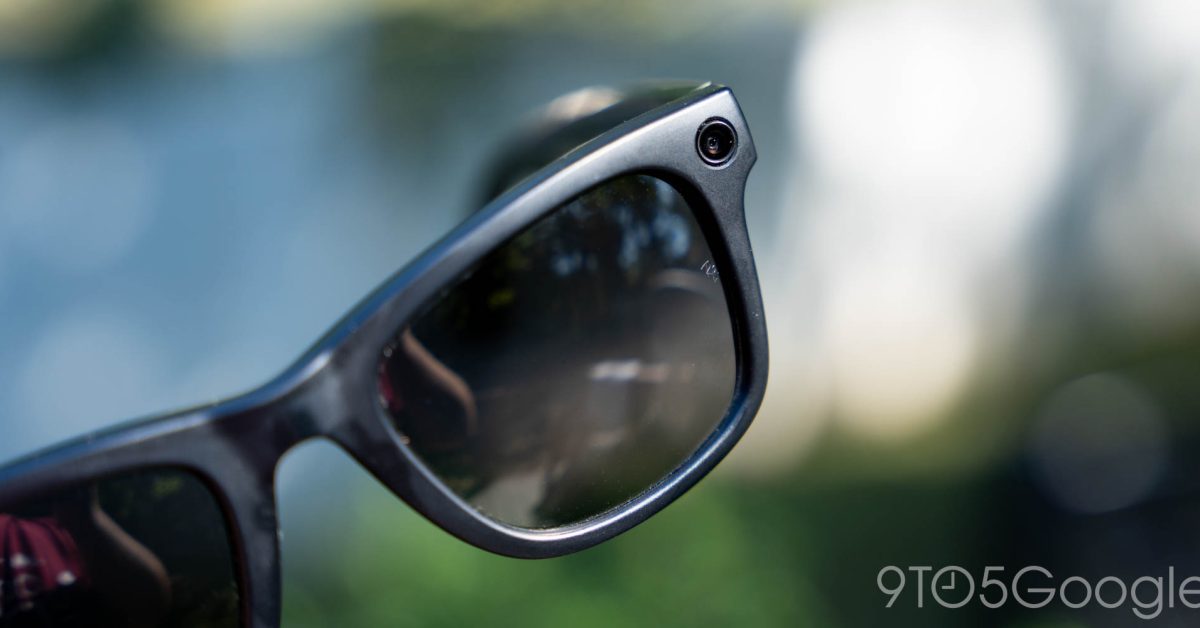
    Meta’s most recent updates for its Ray-Ban smart glasses deliver upgrades to audio playback as well as new turn-by-turn walking navigation.

    The most recent system update for Ray-Ban Meta smart glasses is version 129. This update brings two main changes, both to audio playback. Users can now balance audio between the two speakers to best suit their hearing, or set both speakers to mono playback instead of stereo.

    • Mono Audio: Hear the same sound on both sides. If you have hearing anomalies, Mono Audio combines the left and right channels so nothing gets missed on the side you can’t hear. Applies to sounds your glasses make, like Meta AI and notifications. Turn it on in Device settings › Audio › Accessibility.
    • Audio Balance: Shift sound toward your left or right ear, one step at a time, until the balance feels right for your hearing. Applies to sounds your glasses make like Meta AI responses. Adjust it in Device settings › Audio › Accessibility.

    Beyond that, update version 128 is broadly available after first debuting earlier in September and it brings some key updates including Spatial Audio support, further anti-tampering tweaks to stop the camera from working if the privacy LED has been mesed with, and also new location features.

    Ray-Ban Meta smart glasses now feature turn-by-turn walking navigation directions. This pulls your location from your phone and you can also share navigation from your mapping app directly to Meta AI to be used on the glasses.

    • Pedestrian Navigation: Turn-by-turn pedestrian navigation is here! Get walking directions to your favorite places nearby. Just say “Hey Meta, navigate to Times Square.” For further away places, we’ll send a notification with driving directions to your phone.
    • Share location from phone to glasses: Open your phone’s mapping app and find a location that you’d like to walk to. Tap Share. Select Meta AI from the list of applications. Navigation will start on your connected glasses.

    While the new audio changes are still starting to roll out, the navigation upgrades from version 128 are now broadly available as an update in the Meta AI app.

    More on Smart Glasses:

    • Meta launches audio-only glasses and Gen 3 Ray-Ban with slimmer designs
    • As Android XR nears, smart glasses are only getting more popular despite Meta backlash
    • Samsung reportedly confirms November launch for first Android XR glasses

    Follow Ben: Twitter/X, Threads, Bluesky, and Instagram

    You’re reading 9to5Google — experts who break news about Google and its surrounding ecosystem, day after day. Be sure to check out our homepage for all the latest news, and follow 9to5Google on Twitter, Facebook, and LinkedIn to stay in the loop. Don’t know where to start? Check out our exclusive stories, reviews, how-tos, and subscribe to our YouTube channel

    Audio Meta News rolling upgrades
    Follow on Google News Follow on Flipboard
    Share. Facebook Twitter Pinterest LinkedIn Tumblr Email Copy Link
    myappsplus
    • Website

    Related Posts

    What’s new in Android’s October 2026 Google System Updates

    October 5, 2026

    Samsung confirms the best new thing about its SmartTag 3 trackers

    October 5, 2026

    This is Apple Music’s new logo, probably

    October 5, 2026
    Add A Comment
    Leave A Reply Cancel Reply

    Top Posts

    Can reviews settle disputes that marked first two seasons?

    September 21, 20268 Views

    Experts call for leveraging AI, breaking key tech bottlenecks to propel advanced manufacturing

    September 19, 20266 Views

    What was the PSX? The souped-up PS2 rarely sold outside of Japan

    September 14, 20266 Views
    Latest Reviews

    Orchestration is the new challenge for CX in the age of AI agents

    myappsplusAugust 26, 2026

    iOS 27 reveals Apple TV 4K, HomePod may get powerful new features

    myappsplusAugust 26, 2026

    This Android TV launcher just gave users much more control over their home screen

    myappsplusAugust 26, 2026
    Stay In Touch
    • Facebook
    • YouTube
    • TikTok
    • WhatsApp
    • Twitter
    • Instagram

    Subscribe to Updates

    Get the latest tech news from FooBar about tech, design and biz.

    Most Popular

    This Android TV launcher just gave users much more control over their home screen

    August 26, 20260 Views

    Galaxy S27 leaks reveal a design that Samsung just won’t kill

    August 26, 20260 Views

    Ex-Meta scientists want to bring visual AI to the factory floor

    August 26, 20260 Views
    Our Picks

    Artificial intelligence and the future of work

    October 5, 2026

    What’s new in Android’s October 2026 Google System Updates

    October 5, 2026

    Samsung confirms the best new thing about its SmartTag 3 trackers

    October 5, 2026

    Subscribe to Updates

    Subscribe to our newsletter and get the latest tech news, app updates, AI trends, smartphone reviews, and exclusive deals delivered straight to your inbox.

    Facebook X (Twitter) Instagram Pinterest
    • About Us
    • Get In Touch
    • Disclaimer
    • Privacy Policy
    • Terms & Conditions
    © 2026 MyAppsPlus. All Rights Reserved.

    Type above and press Enter to search. Press Esc to cancel.