

Affiliate links on Android Authority may earn us a commission. Learn more.
The best Android launcher isn’t on the Play Store. Here’s how to install it
No Play Store listing, no problem.
By
•
•
•
Pankil Shah / Android Authority
Add Android Authority on Google:
Preferred SourceGoogle Discover
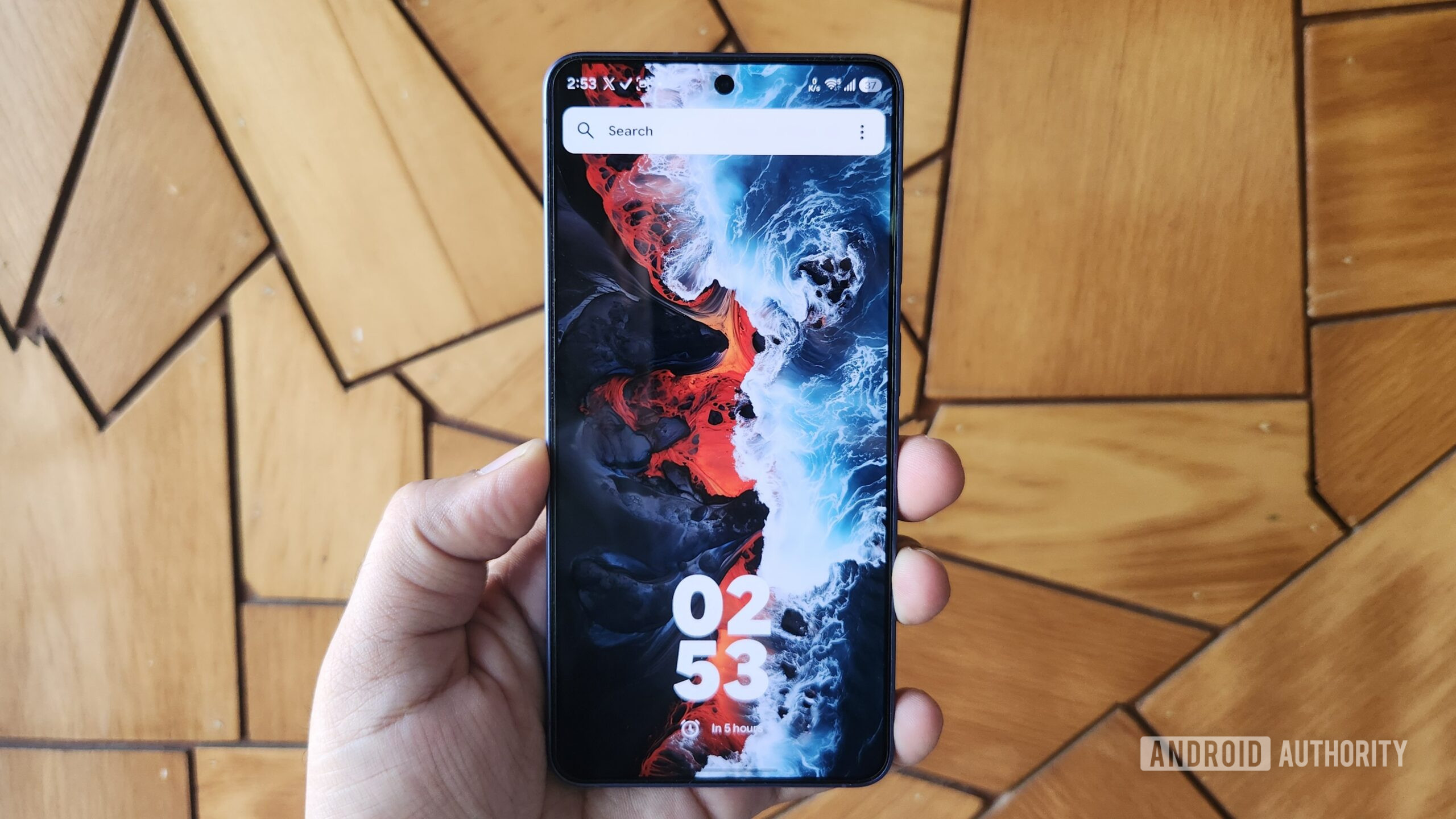
Kvaesitso doesn’t have a Play Store listing or even a name I can pronounce easily. But it’s still the launcher I’ve kept on my phone the longest since ditching Nova. It’s a fully open-aunchers on the Play Store
There’s a lot to like about Kvaesitso, but getting it onto your phone — and keeping it updated once it’s there — takes a bit more than tapping an “Install” button. If you’re interested in trying one of Android’s best launchers but aren’t exactly sure how to download it, you’ve come to the right place.
What’s your go-to method for sideloading apps?
How to download and install Kvaesitso on Android
Andy Walker / Android Authority
Before we get to the steps, you might be wondering why Kvaesitso isn’t on the Play Store — so let’s talk about that first. The developer hasn’t given a specific reason for this. Generally speaking, though, FOSS developers tend to skip the Play Store to avoid listing fees, reviews, and policy hoops. Listing an app on GitHub and F-Droid is more straightforward. This does mean a few extra steps for installation, but it’s a one-time thing.
There are a couple of ways to get Kvaesitso on your phone. Let’s start with the most straightforward one.
- Open any browser on your phone and head to Kvaesitso’s GitHub page.
- Scroll down to the Releases section and tap the latest version.
- Under Assets, tap the launcher APK file to download it.
- Open the APK file to install it. If you’re sideloading for the first time, you’ll need to give your browser permission to install unknown apps.
- Tap Install to get the launcher.
All of this takes barely a minute, though on a Galaxy phone you may need to turn off the Auto Blocker feature in Settings -> Security and privacy. Among other things, it blocks sideloading, so it must be off before you can install any APK.
If you’re into open-y Store, but exclusively for free and open-esitso directly from there. If not, you’ll need to download F-Droid from GitHub first and then sideload it on your phone
Once you’ve got Kvaesitso installed on your phone, the last step is to set it as the default launcher app. Head to Settings -> Apps -> Default apps -> Home app and choose Kvaesitso from the list. Go back to the home screen, and the new launcher will be waiting for you.
Keeping Kvaesitso updated takes some work
Pankil Shah / Android Authority
One of the quirks of sideloading apps is that keeping them updated isn’t always straightforward. Kvaesitso is no exception. It doesn’t have a built-in option to check for updates, but that doesn’t mean you have to manually check its GitHub page every few weeks.
If you’ve installed the launcherupdates on F-Droid work much like the Play Store — you can search for the app and tap the Update button to install the latest version. Or, you can enable automatic updates by heading to F-Droid’s Settings and turning on Automatically install updates. This will obviously apply to every app you’ve installed through F-Droid, not just Kvaesitso
If you’re thinking about installing F-Droid just to keep Kvaesitso updated, there’s a better option: Obtainium.
If you’re thinking about installing F-Droid just to keep Kvaesitso updated, there’s a better option: Obtainium. It’s a free and open-utomatically checks for newer versions at the
There are a couple of advantages to using it over F-Droid. First, you’ll get updates without any delay — sometimes even before they show up on F-Droid — since Obtainium pulls them straight from theer time, Obtainium can track all of them and let you update everything from one place
The only catch is that there’s a bit of setup involved initially. First, you’ll obviously need to install Obtainium itself from GitHub or F-Droid. Then open it, tap the Add button, and paste Kvaesitso’s GitHub or F-Droid URL, whicheveran app’s digital signature can vary by
Obtainium will also give you a few toggles in the same menu for things like installing prereleases or skipping update notifications. These are all optional, so you can ignore them and tap the plus icon to add the app. After this, Obtianium will automatically check for updates every six hours.
The extra steps are worth it for Kvaesitso
Installing and keeping Kvaesitso updated definitely takes more work than grabbing something off the Play Store — but it’s worth it. My favorite thing about it is the search bar. Besides apps and contacts, it lets you search Wikipedia, YouTube, Maps, and the Play Store itself. You can even set alarms and reminders or run basic calculations right from the search bar. All of this means you don’t have to switch apps for simple stuff.
Kvaesitso is also big on customization. By default, it keeps the home screen clean and tucks widgets into a separate panel, but if you prefer the traditional look with widgets front and center, you can switch that from the settings. There’s also the usual stuff, like customization for app grid layout, icon packs, themes, and fonts. You can even set up home screen gestures, so a swipe or a double tap can launch a specific app, lock your screen, pull up quick settings, or open the notifications panel.
And most importantly, you’ll have a hard time finding a launcher this capable that’s also completely free. So yes, those few minutes spent sideloading Kvaesitso and setting it up on Obtainium are well worth it — at least, that’s my take after using it for a while.
But I’m curious how you feel — is it worth all the hassle? Share your thoughts in the comments below.
Features
AndroidAndroid appsAndroid Launchers
Follow
Thank you for being part of our community. Read our Comment Policy before posting.
