

SamMobile has affiliate and sponsored partnerships, we may earn a commission.
Is my Android phone too old to update?
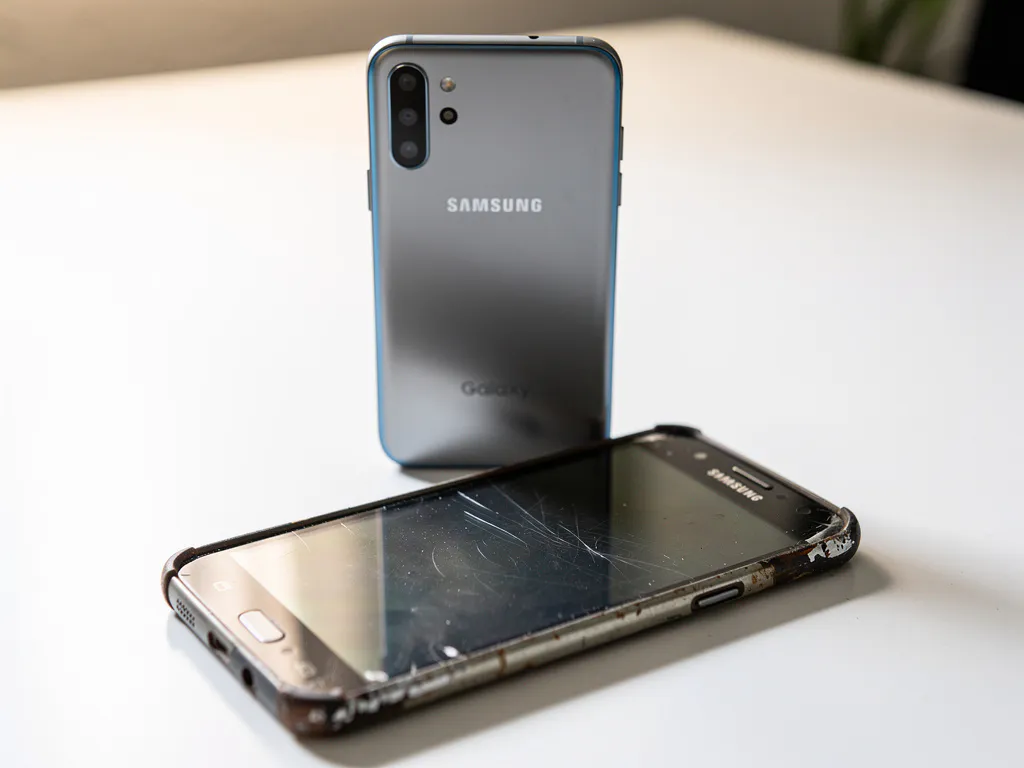
Worn Samsung Android phone lying flat on a white desk, with a sleek newer Galaxy smartphone standing upright behind it.
TL;DR
- Samsung now offers up to 7 years of OS and security updates for 2023+ flagship Galaxy phones, while recent Galaxy A models get about 4 years of OS updates and 5 years of security patches.
- You can check support in Settings > Software update > Download and install, or by finding your model number and comparing it with Samsung’s update schedule.
- When updates end, the phone still works but loses new features, bug fixes, and security patches; older models like the Galaxy S10 and many pre-2020 phones are likely unsupported in 2025.
Whether your Android phone is too old to receive software updates depends on how long Samsung supports your specific model. Samsung now offers up to 7 years of software and security updates for its flagship Galaxy devices, though older or budget phones may have shorter support windows. The sections below walk through how to check your phone’s update status, what to expect when support ends, and whether it is time to upgrade.
How long do Samsung phones receive software updates?
Samsung flagship phones launched from 2023 onward receive 7 years of Android OS upgrades and security updates. Mid-range Galaxy A series phones typically receive 4 years of OS updates and 5 years of security patches, while older budget models may only be covered for 2 to 4 years. The length of support depends heavily on when your phone was released and which range it belongs to.
This is a significant improvement from just a few years ago, when even Samsung’s best phones only received 3 to 4 years of updates. The shift came with the Galaxy S24 series in early 2024, and Samsung has continued this policy through the Galaxy S25 lineup and beyond. If you bought a flagship Galaxy phone in 2023 or later, you are in good shape for years to come.
Here is a general breakdown of Samsung’s current update policy by device range:
- Galaxy S series (2023 onward): 7 years of OS and security updates
- Galaxy Z Fold and Z Flip (2023 onward): 7 years of OS and security updates
- Galaxy A series (recent models): 4 years of OS updates, 5 years of security patches
- Older budget and mid-range models: 2 to 4 years of updates, depending on release date
How do you check if your Android phone is still getting updates?
To check whether your Samsung phone is still receiving Android updates, go to Settings, then Software update, then Download and install. If your phone is still supported, it will either show a new update available or confirm your software is current. If support has ended, you may see a message that no updates are available even though your software is outdated.
You can also check Samsung’s official security update schedule, which we cover regularly here on SamMobile, to see which models are still receiving monthly or quarterly patches. Another useful step is to look up your phone’s model number and compare it against Samsung’s published end-of-support dates.
To find your model number, go to Settings, then About phone. You will see your exact model listed there. Once you have that, you can search for your specific device to find out when its update support is scheduled to end.
What happens when your Samsung phone stops getting updates?
When your Samsung phone stops receiving Android updates, it does not immediately stop working. Your phone will continue to function exactly as it did before, but it will no longer receive new features, bug fixes, or security patches. Over time, this creates real risks, particularly around security vulnerabilities that go unaddressed.
Here is what you can realistically expect after updates stop:
- Security gaps: Without regular patches, your phone becomes more vulnerable to malware and data theft, especially if you use it for banking or shopping apps
- App compatibility issues: Developers eventually stop supporting older versions of Android, so some apps may stop working correctly or refuse to install
- No new features: You will miss out on improvements to One UI, Samsung’s camera software, and other built-in tools
- Performance stays the same: Your phone will not slow down overnight, but it also will not benefit from any optimization updates
For everyday tasks like calling, texting, and browsing, an unsupported phone can still be usable for a while. But if you rely on your phone for sensitive activities like mobile banking or work emails, running without security updates is a genuine risk worth taking seriously.
Which Samsung phones are no longer supported in 2025?
Several Samsung phones reached the end of their software support window in 2025 or earlier. Generally speaking, any Samsung Galaxy phone released before 2020 is unlikely to be receiving security updates at this point, and some models from 2020 to 2021 have also aged out depending on their range.
Models that have typically fallen out of support include:
- Galaxy S10 series (released 2019)
- Galaxy S20 series (most models ended security updates by 2024 to 2025)
- Galaxy A series phones from 2019 and 2020
- Galaxy Note 10 series (released 2019)
- Older Galaxy J and Galaxy M models from 2019 or earlier
It is worth noting that Samsung does not always announce end-of-support dates loudly, so the best way to confirm your phone’s status is to check whether it appeared in Samsung’s most recent monthly security update bulletin. We track these rollouts regularly, so checking our coverage of Samsung’s latest security patches is a quick way to see if your model is still on the list.
Should you upgrade your phone or keep using an older Android?
Whether to upgrade or keep using your older Samsung phone comes down to two main factors: whether your phone still receives security updates and whether it meets your daily needs. If your phone is no longer supported and you use it for anything sensitive, upgrading is the safer choice. If it still works well for your everyday tasks and is within its support window, there is no urgent reason to replace it.
Ask yourself the following before deciding:
- Is my phone still receiving security patches? If not, and you use mobile banking or store personal data on your device, this is the strongest reason to upgrade
- Are apps starting to fail or refuse to install? This is a sign that your Android version is becoming too old for modern software
- Does the battery last through the day? A degraded battery is a separate issue from software support, but it often coincides with an aging device
- Does the phone still feel responsive? If everyday tasks feel slow or frustrating, a newer model will make a noticeable difference
If you decide it is time to upgrade, the good news is that Samsung’s current lineup offers strong options at every price point. Flagship models like the Galaxy S25 series come with that 7-year update promise, meaning you will not need to think about this question again for a long time. Mid-range options in the Galaxy A series also offer solid update commitments at a more accessible price.
If your phone is still supported and working well, there is nothing wrong with holding on to it a little longer. The most important thing is knowing where your device stands so you can make an informed decision rather than being caught off guard.
Frequently Asked Questions
Can I manually install Android updates on a Samsung phone that is no longer supported?
Yes, it is technically possible to install custom ROMs or unofficial firmware on some older Samsung phones, but this process requires unlocking the bootloader, which voids your warranty and can introduce its own security risks if you use an unverified build. Tools like LineageOS offer community-maintained Android builds for select Samsung models, which can extend usability and even bring newer Android versions to older hardware. However, this route is best suited for tech-savvy users who understand the risks, and it is not recommended for anyone relying on their phone for sensitive tasks like banking or work.
Does a Samsung phone become unsafe to use the moment security updates stop?
Not immediately, but the risk grows over time the longer your phone goes without patches. Security vulnerabilities are discovered and publicly disclosed on a regular basis, and without updates, your phone has no way to defend against newly identified threats. The danger is highest if you use your phone for mobile banking, online shopping, or storing sensitive personal data, since those activities make you a more attractive target. For low-risk use cases like calls, texts, and offline apps, the immediate danger is lower, but it is still something to monitor closely.
How do I find out the exact end-of-support date for my specific Samsung model?
The most reliable method is to visit Samsung’s official Security Updates page, where the company publishes a list of devices still receiving monthly or quarterly security patches. You can cross-reference your phone’s model number, found under Settings, then About phone, against that list to see if your device is still included. SamMobile also tracks Samsung’s monthly security update rollouts, so checking recent coverage here is a quick way to confirm whether your model received the latest patch cycle.
Will my Samsung phone lose access to Google apps or the Play Store when it stops getting updates?
Not right away, but this can become an issue over time. Google Play Services and the Play Store have their own minimum Android version requirements, and if your phone is running a very old version of Android, you may eventually find that Google services stop updating or functioning correctly. This tends to happen gradually rather than all at once, but it is a real long-term concern for phones running Android 9 or older. Losing Play Store functionality effectively means you can no longer install or update most apps, which is a strong signal that it is time to consider upgrading.
Is the Galaxy A series a good budget alternative if I want a longer software support window?
Yes, recent Galaxy A series models offer a solid balance between affordability and update longevity, with Samsung committing to 4 years of Android OS updates and 5 years of security patches on newer A-series phones. Models like the Galaxy A55 and Galaxy A35 fall under this policy, making them a much better long-term investment than older budget phones that only received 2 to 3 years of support. If you are on a tighter budget but want peace of mind around security updates, a current Galaxy A series phone is a smart choice.
What is the difference between an Android OS update and a security patch, and which one matters more?
An Android OS update brings new features, interface changes, and major platform improvements, such as moving from Android 14 to Android 15. A security patch, on the other hand, is a smaller, more frequent update that fixes specific vulnerabilities without necessarily adding new features. For day-to-day safety, security patches are arguably more important because they directly address known exploits that could be used to compromise your device. Ideally you want both, but if your phone is still receiving security patches even after OS upgrades have stopped, it remains meaningfully safer than a phone getting neither.
If I factory reset my Samsung phone, will it start receiving updates again?
No, a factory reset will not restore update eligibility. Software support is tied to your phone’s hardware model and release date, not its software state, so resetting to factory settings only wipes your personal data and restores the phone to its out-of-box configuration. If Samsung has ended support for your model, that decision is based on the device itself, and no amount of resetting, clearing cache, or reinstalling firmware will change that. The only way to get back onto an active update schedule is to switch to a supported device.
