

![What do you actually use a laptop for, and would Googlebook be able to do it? [Poll]](https://9to5google.com/wp-content/uploads/sites/4/2026/09/Googlebook-HP-One-Handed.jpg?quality=82&strip=all&resize=1200,628 "What do you actually use a laptop for, and would Googlebook be able to do it? [Poll]")
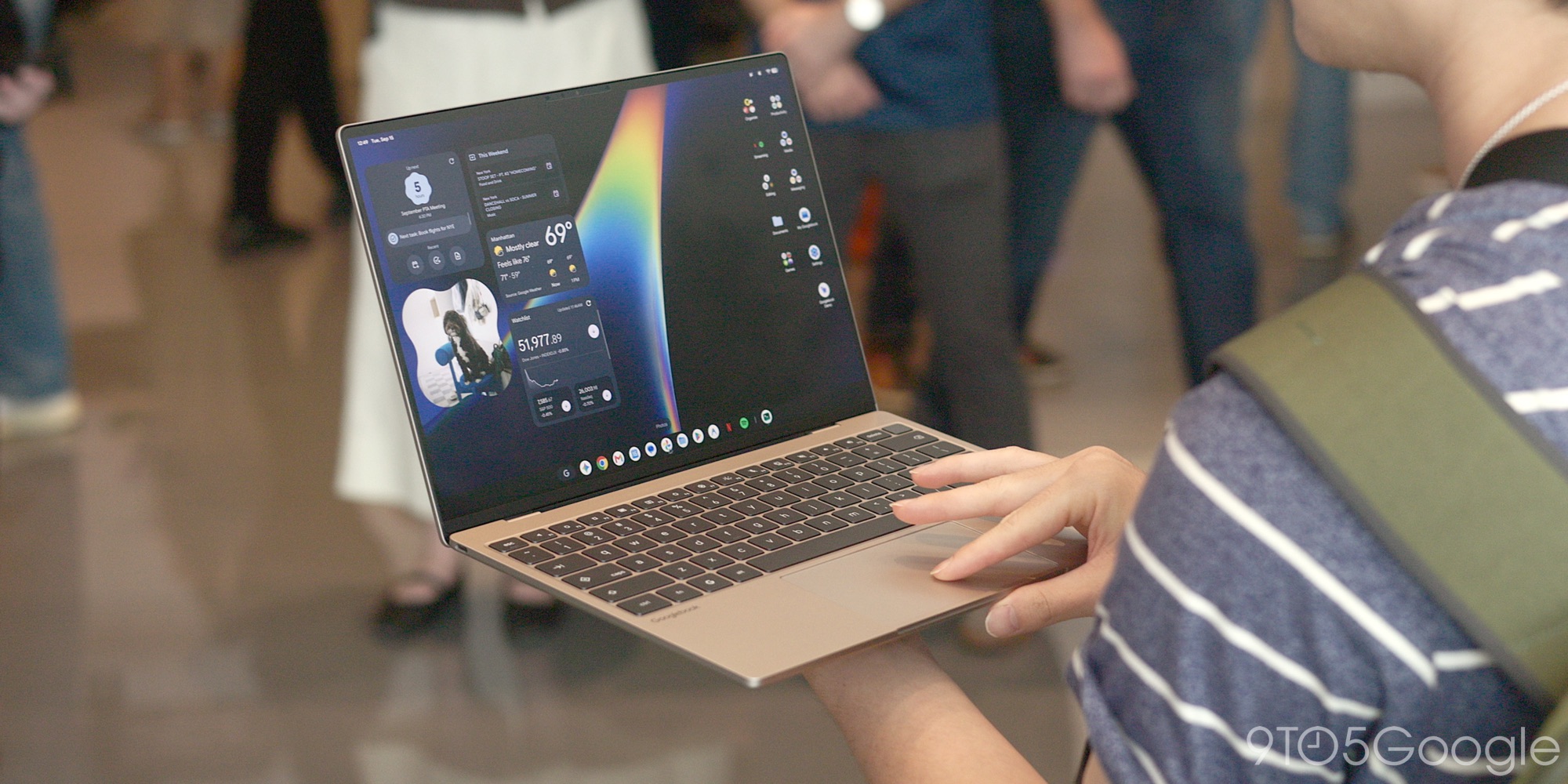
Following a mediocre teaser back in May, Googlebook is officially here and, well, I’m still pretty skeptical. I’m not sure I see Google’s vision of this new lineup or laptops because, frankly, I’m not solving any of the problems Chromebooks already faced.
Our initial coverage of Googlebook is live, with Abner, Jordan, and Damien all walking away with a good first impression of Google’s efforts.
- Google fully details Googlebooks: $899+, October launch, & more
- Googlebook OS hands-on: It’s Android, stupid
- Googlebook hands-on: What makes a laptop, a laptop? [Video]
Yet, I’m unconvinced thus far. I’ve yet to get my hands on a Googlebook and, as someone sitting mostly in the same boat as you, our readers, I’m yet to be sold on this new platform. I simply don’t understand why it exists, even more so why Google seems to think it will succeed.
Google’s entire pitch around why you should buy a Googlebook more or less boils down to smartphone integration – specifically Android integration. Googlebook takes existing tools from ChromeOS and supercharges them, giving you the ability to mirror apps, sync files, and do a whole lot more between your Android phone and your laptop. And it does sound pretty good! As someone who currently juggles a MacBook with various Android phones, there are integrations I wish existed; instant hotspot and proper Quick Share support (AirDrop works, but tends to be wildly slow) are at the top of that list.
Googlebook is delivering the MacBook + iPhone experience, just for Android users. That’s the pitch.
Where it falls flat for me is in the apparent functionality. At its core, Googlebook is Android, just with a desktop experience built on top. The core stuff is there – desktop-class Chrome browser, customizable desktop, keyboard shorts, the lot. But the app ecosystem is built around Android apps, web apps, and Linux apps. The same core as ChromeOS, just with a different priority and with better performance on the Android app side, as Abner and Damien both noticed.
That’s where I’m struggling to get on board.
There’s plenty you can do on a Googlebook, sure, just like there was plenty you could do on a Chromebook. But you’re still making a trade-off. Google pointed out that around 70% of things people do on a laptop are done through their browser (Chrome, of course). And, yeah, I’d say that’s about how much I do in the browser on my Windows desktop or my MacBook. That other 30%, though, is the “make or break” that eventually broke me on ChromeOS. For me, it largely came down to Adobe’s apps which, as it stands, still aren’t replicated on Googlebook. On Google’s own website, the company touts a Googlebook’s ability to use Photoshop and Lightroom, but that’s just with the mobile apps – not the full-featured apps you can use on you know, most other laptops.
Google knows people use these apps; otherwise, it wouldn’t take up a place on this site in the first place – the same goes for games, where Google advertises tons of popular titles like Forza Horizon, Marvel Rivals, Arc Raiders, and more, with only two of the games shown running natively and the rest delivered
The market has pretty clearly spoken in this regard. Chromebooks are out. There are remarkably few consumer-focused Chromebooks on the market today and, especially on the high end, it seems like hardly anyone is buying them – Google itself gave up on first-party Chromebooks over five years ago.
To me at least, the reasoning seems obvious. When Chromebooks hit their stride, the market was full of compromises everywhere. There was no one perfect answer. But that’s changed in recent years. Apple’s M-series chips ushered in a new era for the MacBook which, in turn, influenced some major improvements across Windows laptops. Fast forward to today and there’s no lack of powerful, battery-efficient, thin & light laptop options and, despite “RAMageddon” ruining the price side of things, there’s been a huge push for more affordable machines in the wave of MacBook Neo and its clones – and those are very popular too.Giving up access to a full collection of full-featured apps for a lightweight operating system that gets roughly the same battery life for roughly the same price is a no-brainer, which means that Chromebooks are relegated to a niche. In enterprise/schools, for more affordable machines, for low-end hardware, ChromeOS still makes a lot of sense, but it’s a tough sell basically anywhere else, so you might be able to see why I’m so confused by Googlebook.
Googlebook’s pitch, again, isn’t bad, but does it make sense in today’s market? Who’s buying a laptop that’s inherently (and inarguably) restricted in what it can do, especially at a time when laptops are wildly inflated in price in the first place due to component shortages?
This is the part where I turn the floor over to you.
Do you think Googlebook has stuck the landing? Has Google’s pitch resonated with you?
Even more so, what are you using a laptop for in the first place? That’s perhaps the most important question around this. As mentioned, I’m personally using my laptop mostly in Chrome, with non-Chrome apps including the likes of Photoshop/Lightroom/Premiere, Spotify, Slack, and a handful of assorted other tools. There are a few of those I can replace – Spotify’s tablet interface should be a treat on a laptop, though I think Slack will be awful given how the Android app lacks any semblance of big-screen optimizations (on Android, as they’re immediately giving Apple something better), so maybe the Linux app will be better.
That’s just me. There are infinite ways people use their laptop. So, looking at what you do today, do you think a Googlebook can do it all? Vote in the poll below, then leave a comment.
More on Googlebook:
- MediaTek’s flagship laptop chip is the Dimensity CX C10 Max, debuts in a Lenovo Googlebook
- Google on its ‘continued commitment to Chromebooks’ after Googlebooks
Follow Ben: Twitter/X, Threads, Bluesky, and Instagram
You’re reading 9to5Google — experts who break news about Google and its surrounding ecosystem, day after day. Be sure to check out our homepage for all the latest news, and follow 9to5Google on Twitter, Facebook, and LinkedIn to stay in the loop. Don’t know where to start? Check out our exclusive stories, reviews, how-tos, and subscribe to our YouTube channel
