Close Menu
MyAppsPlus

    Subscribe to Updates

    Get the latest creative news from FooBar about art, design and business.

    What's Hot

    Instagram moves Edits beyond mobile with desktop version for Mac: Features

    November 7, 2026

    GhostMap Bug Leaves Android Phones Stuck in Reboot Loop

    November 7, 2026

    iCloud shared link checks start in iOS 27.3

    November 7, 2026
    Facebook X (Twitter) Instagram
    Facebook X (Twitter) Instagram
    MyAppsPlusMyAppsPlus
    Saturday, November 7
    • Home
    • Breaking Tech
    • Apps & Software
    • AI & Automation
    • Android
    • iPhone & iOS
    • More
      • Reviews
      • How-To Guides
      • Deals & Discounts
      • Shop
    MyAppsPlus
    Home»Breaking Tech»One mobile number, two phones: What is iPhone handoff and which carriers support it?
    Breaking Tech

    One mobile number, two phones: What is iPhone handoff and which carriers support it?

    myappsplusBy myappsplusSeptember 21, 2026023 Mins Read
    Share Facebook Twitter Pinterest Copy Link LinkedIn Tumblr Email Telegram WhatsApp
    Follow Us
    Google News Flipboard
    One mobile number, two phones: What is iPhone handoff and which carriers support it?
    Share
    Facebook Twitter LinkedIn Pinterest Email Copy Link

    If you switch between two <a href="https://myappsplus.com/burgundy-iphone-18-pro-wallpaper-pack/” title=”Burgundy iPhone 18 Pro wallpaper pack”>iPhones regularly, you’re going to love this new feature.

    If you use two iPhones, you no longer need to run separate carrier accounts for each of them, thanks to a new iOS 27 feature: iPhone Handoff.

    Mentioned briefly at WWDC and in more detail during Apple’s Surprise and Shine event on September 9, iPhone Handoff lets you use the same phone number across two iPhones; in typical Apple fashion, the feature is so easy it’s almost invisible. Once you set it up, all you have to do is unlock the iPhone you want to use, and you’re ready to go.

    Handoff lets you take and make calls and messages on both phones using the same number, add payment cards on one device to work on both, and interact seamlessly with most apps and iCloud. There are some limitations; for example, your carrier must support iPhone Handoff, it does not switch your paired Apple Watch between devices, and some wallet items like IDs and passes won’t work, but most features work seamlessly. In this article, you’ll learn how to set up iPhone Handoff, how to use it and which carriers support it.

    Setting up iPhone Handoff

    You can set iPhone Handoff up on any two devices running iOS 27 or later. Both must be on the same Wi-Fi network and signed into the same Apple Account for iCloud, FaceTime and iMessage. One phone will be the primary phone, and one will be your secondary phone. The primary device holds the main eSIM and manages carrier settings, but you can also use each phone’s eSIM, so long as both are from supporting carriers.

    While we expect that more will do so, only T-Mobile in the US and Telekom in Germany have confirmed support so far, with T-Mobile charging an additional $5 monthly fee. Here’s how to set it up on your iPhones.

    • Place your two iPhones next to each other and unlock one.
    • Navigate to Settings > Cellular, and tap Set Up Cellular/Add eSIM, or iPhone Handoff if a number is already set up on the device.
    • Choose Use Number on This iPhoneand Another, tap Continue and follow the on-screen prompts to assign one device as your main iPhone.

    It is worth noting that once it’s time to replace one iPhone with another, you must transfer the eSIM to the new device. If you want to disable Handoff completely, Apple says you’ll need to contact your carrier.

    Why and how to use iPhone Handoff

    Apple has designed iPhone Handoff to be as easy to use as picking up your iPhone and unlocking it, which is literally all you need to do. A small notification will appear in your Dynamic Island just under the Wi-Fi indicator to let you know your device is activated for iPhone Handoff.

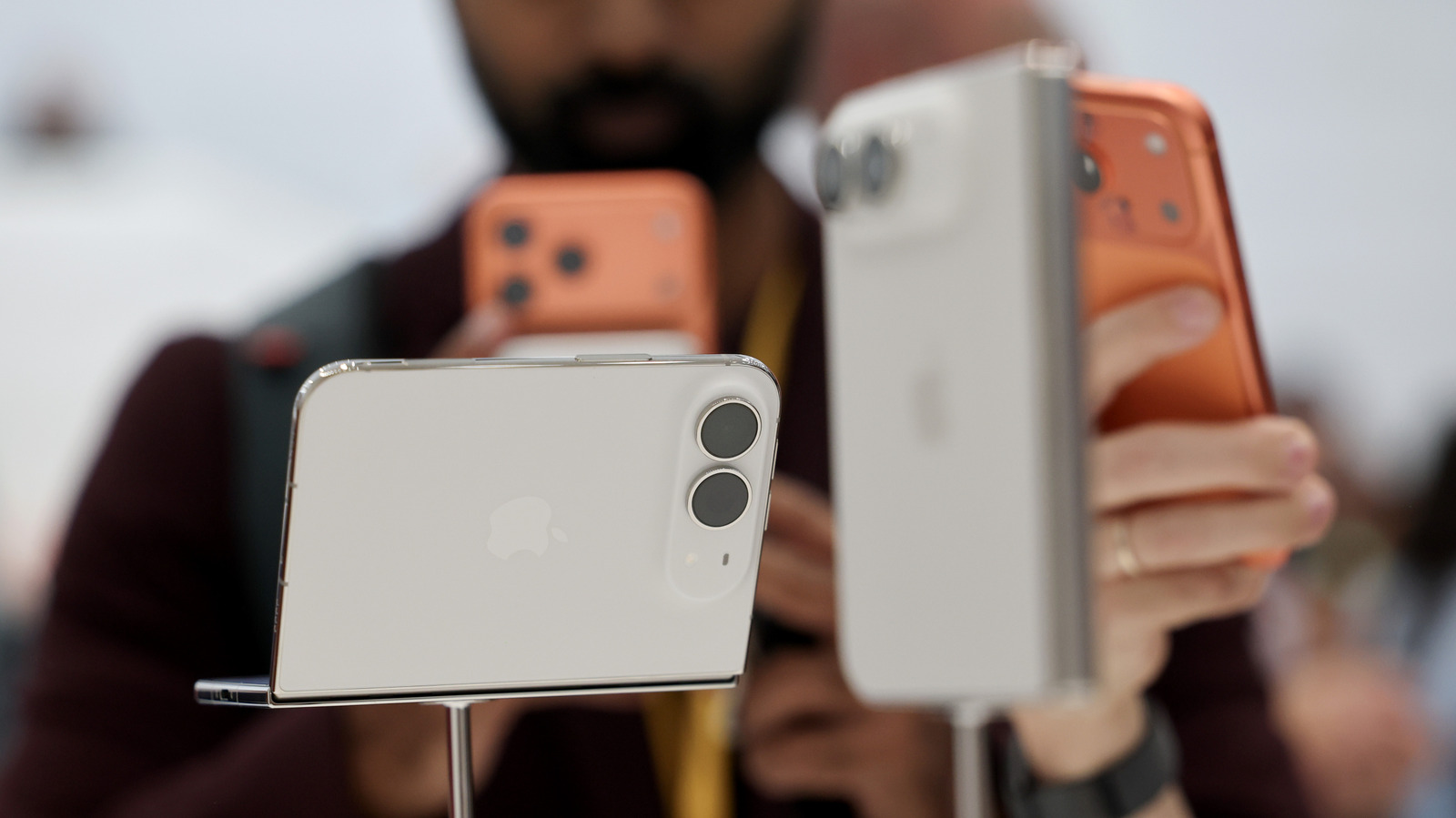
    While it’s nice to have, iPhone Handoff is also a niche feature. However, you might find it useful as you migrate between an old and new iPhone, to easily carry an older and less valuable device when you travel, or to use a more portable or cheaper iPhone alongside a $2,000 iPhone Duo. Professionals using different devices for work and personal life may also find use for the feature.

    Apple Mobile Number phones Smartphones
    Follow on Google News Follow on Flipboard
    Share. Facebook Twitter Pinterest LinkedIn Tumblr Email Copy Link
    myappsplus
    • Website

    Related Posts

    Instagram moves Edits beyond mobile with desktop version for Mac: Features

    November 7, 2026

    GhostMap Bug Leaves Android Phones Stuck in Reboot Loop

    November 7, 2026

    Tech barons cozied up to Trump. What will they do in newly blue America?

    November 7, 2026
    Add A Comment
    Leave A Reply Cancel Reply

    Top Posts

    Cathay Pacific tests Google AI that dramatically cuts airplane contrails — tiny altitude shifts slash environmental impact by 40% in early trials

    September 8, 2026138 Views

    Save on your groceries, gas, and holiday shopping with this $15 BJ’s membership (Reg. $60) 

    November 4, 202627 Views

    Apple is making Creator Studio an even better deal with new AI features and creative tools

    October 28, 202619 Views
    Latest Reviews

    iPhone Duo?

    myappsplusSeptember 5, 2026

    From eating the elderly to selling kids, Afterworld gives you the freedom to do terrible things in the post-apocalypse — ‘We shouldn’t judge the player’ says director

    myappsplusSeptember 5, 2026

    This Dell 16 laptop is ideal for university, especially at the lowest price we’ve seen

    myappsplusSeptember 5, 2026
    Stay In Touch
    • Facebook
    • YouTube
    • TikTok
    • WhatsApp
    • Twitter
    • Instagram

    Subscribe to Updates

    Get the latest tech news from FooBar about tech, design and biz.

    Most Popular

    iPhone Duo?

    September 5, 20260 Views

    From eating the elderly to selling kids, Afterworld gives you the freedom to do terrible things in the post-apocalypse — ‘We shouldn’t judge the player’ says director

    September 5, 20260 Views

    I just went hands-on with the Odyss N1 — a sleek AI necklace that automatically tracks everything you eat

    September 5, 20260 Views
    Our Picks

    Instagram moves Edits beyond mobile with desktop version for Mac: Features

    November 7, 2026

    GhostMap Bug Leaves Android Phones Stuck in Reboot Loop

    November 7, 2026

    iCloud shared link checks start in iOS 27.3

    November 7, 2026

    Subscribe to Updates

    Subscribe to our newsletter and get the latest tech news, app updates, AI trends, smartphone reviews, and exclusive deals delivered straight to your inbox.

    Facebook X (Twitter) Instagram Pinterest
    • About Us
    • Get In Touch
    • Disclaimer
    • Privacy Policy
    • Terms & Conditions
    © 2026 MyAppsPlus. All Rights Reserved.

    Type above and press Enter to search. Press Esc to cancel.