Close Menu
MyAppsPlus

    Subscribe to Updates

    Get the latest creative news from FooBar about art, design and business.

    What's Hot

    How to watch Bengals vs Texans: Free Streams & TV Channels for 2026 NFL Week 2 game

    September 20, 2026

    Is the original Nintendo Switch still worth buying in 2026?

    September 20, 2026

    Best iPhone 18 Pro accessory deals: Cases, chargers, cables, more

    September 20, 2026
    Facebook X (Twitter) Instagram
    Facebook X (Twitter) Instagram
    MyAppsPlusMyAppsPlus
    Sunday, September 20
    • Home
    • Breaking Tech
    • Apps & Software
    • AI & Automation
    • Android
    • iPhone & iOS
    • More
      • Reviews
      • How-To Guides
      • Deals & Discounts
      • Shop
    MyAppsPlus
    Home»Breaking Tech»How to improve your audio quality on Netflix
    Breaking Tech

    How to improve your audio quality on Netflix

    myappsplusBy myappsplusSeptember 20, 2026003 Mins Read
    Share Facebook Twitter Pinterest Copy Link LinkedIn Tumblr Email Telegram WhatsApp
    Follow Us
    Google News Flipboard
    How to improve your audio quality on Netflix
    Share
    Facebook Twitter LinkedIn Pinterest Email Copy Link

    Tired of turning on subtitles? This simple menu tweak restores crisp, clear voices.

    We’ve all been there, settling in for a Netflix night only to end up straining our ears when dialogue sounds distant or garbled. This is actually one of the things Netflix users complain quite a bit about and it has nothing to do with your internet connection or your TV’s quality. Instead, it comes down to a mismatch between the audio format Netflix sends and the speakers that play it.

    The most frustrating part of it all is that the issue pops up at random. One show might sound just fine, while another will have you straining your ears to figure out what they’re even saying without you changing the setup or touching the settings.

    The good news is that fixing the problem doesn’t require changing any of your sound equipment or even trying to reach Netflix tech support. More often than not, the solution to your Netflix muffled audio is a quick setting adjustment that’ll take a minute of your time.

    Why does Netflix sound muffled or low?
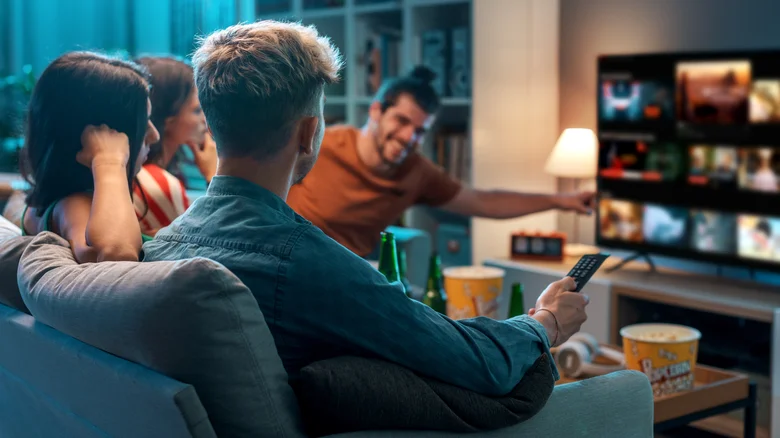
    Group of people watching Netflix on TV.

    Netflix automatically defaults to the highest-quality audio stream supported by your connected devices. If your setup supports surround sound, then Netflix will send a 5.1 or Dolby Atmos track rather than standard stereo. That sounds great in theory, but many smart TVs claim they can push surround sound when they’re only sporting basic speakers. In such situations, the TV attempts to send that surround track down to two speakers, resulting in audio that sounds quieter and less clear.

    An alternative is that there’s an actual technical problem at play. A loose or damaged HDMI cable can distort or weaken the audio signal, while outdated firmware on your streaming device or TV may be at fault for mishandling audio processing. Similarly, external sound systems like soundbars may deliver subpar sound if they’re not configured correctly.

    None of this means that something’s broken, but the issues do reflect a compatibility problem between the audio Netflix is sending and what your equipment can receive.

    How to fix your Netflix sound problem
    Netflix logo displayed on TV, two people watching on the couch.

    You’re going to want to start with the easiest and most effective fix — opening the Audio and Subtitles menu at the bottom of the Netflix player and switching your audio track from the surround version (such as English [Original] 5.1) to the standard version (English [Original]). If you’re only using your TV’s built-in speakers rather than a dedicated surround system, this single change often resolves quiet or muffled audio immediately. Netflix remembers your preference moving forward, so doing this once should fix any potential issues moving forward too.

    If you’re using an external audio system and the problem persists, run a check on your HDMI cable and try using a different one to see if the sound issue disappears. You could also try bypassing any external audio devices for a bit just to see if playback through your TV’s speakers fixes the issues. You should also check if there’s a firmware update available.

    Something else you could do is increase playback quality within Netflix itself. Head over to your Account page in a web browser, go to Edit settings > Playback settings and set your data usage per screen to High. This ensures Netflix streams its highest audio bitrate, which is up to 640 kbps for 5.1 and 768 kbps for Atmos. It’s also worth noting that you have to pay for the Netflix Premium tier if you want high-fidelity spatial audio and Dolby Atmos.

    Audio Improve quality Streaming Your
    Follow on Google News Follow on Flipboard
    Share. Facebook Twitter Pinterest LinkedIn Tumblr Email Copy Link
    myappsplus
    • Website

    Related Posts

    Is the original Nintendo Switch still worth buying in 2026?

    September 20, 2026

    Winamp will be reborn in 2027 to take on streaming

    September 20, 2026

    The Split Up creators want three seasons to tell full Split spinoff story on BBC iPlayer — and won’t rule out a future Nicola Walker crossover

    September 20, 2026
    Add A Comment
    Leave A Reply Cancel Reply

    Top Posts

    This tiny AI box could save me from upgrading my perfectly good laptop

    September 6, 20263 Views

    New Target ad delivers look at upcoming deals in one of Nintendo’s ‘largest promotions ever’

    September 13, 20262 Views

    Top 10 Best React Native App Development Companies in 2026

    September 12, 20262 Views
    Latest Reviews

    JBL Xtreme 5 drops back to its best price with $100 off at Amazon

    myappsplusAugust 20, 2026

    The best website builders of 2026: 80+ platforms tested to find the easiest ways to build a site.

    myappsplusAugust 20, 2026

    Someone targeted security researchers using a fake crypto conference as a lure

    myappsplusAugust 20, 2026
    Stay In Touch
    • Facebook
    • YouTube
    • TikTok
    • WhatsApp
    • Twitter
    • Instagram

    Subscribe to Updates

    Get the latest tech news from FooBar about tech, design and biz.

    Most Popular

    JBL Xtreme 5 drops back to its best price with $100 off at Amazon

    August 20, 20260 Views

    The best website builders of 2026: 80+ platforms tested to find the easiest ways to build a site.

    August 20, 20260 Views

    Someone targeted security researchers using a fake crypto conference as a lure

    August 20, 20260 Views
    Our Picks

    How to watch Bengals vs Texans: Free Streams & TV Channels for 2026 NFL Week 2 game

    September 20, 2026

    Is the original Nintendo Switch still worth buying in 2026?

    September 20, 2026

    Best iPhone 18 Pro accessory deals: Cases, chargers, cables, more

    September 20, 2026

    Subscribe to Updates

    Subscribe to our newsletter and get the latest tech news, app updates, AI trends, smartphone reviews, and exclusive deals delivered straight to your inbox.

    Facebook X (Twitter) Instagram Pinterest
    • About Us
    • Get In Touch
    • Disclaimer
    • Privacy Policy
    • Terms & Conditions
    © 2026 MyAppsPlus. All Rights Reserved.

    Type above and press Enter to search. Press Esc to cancel.