

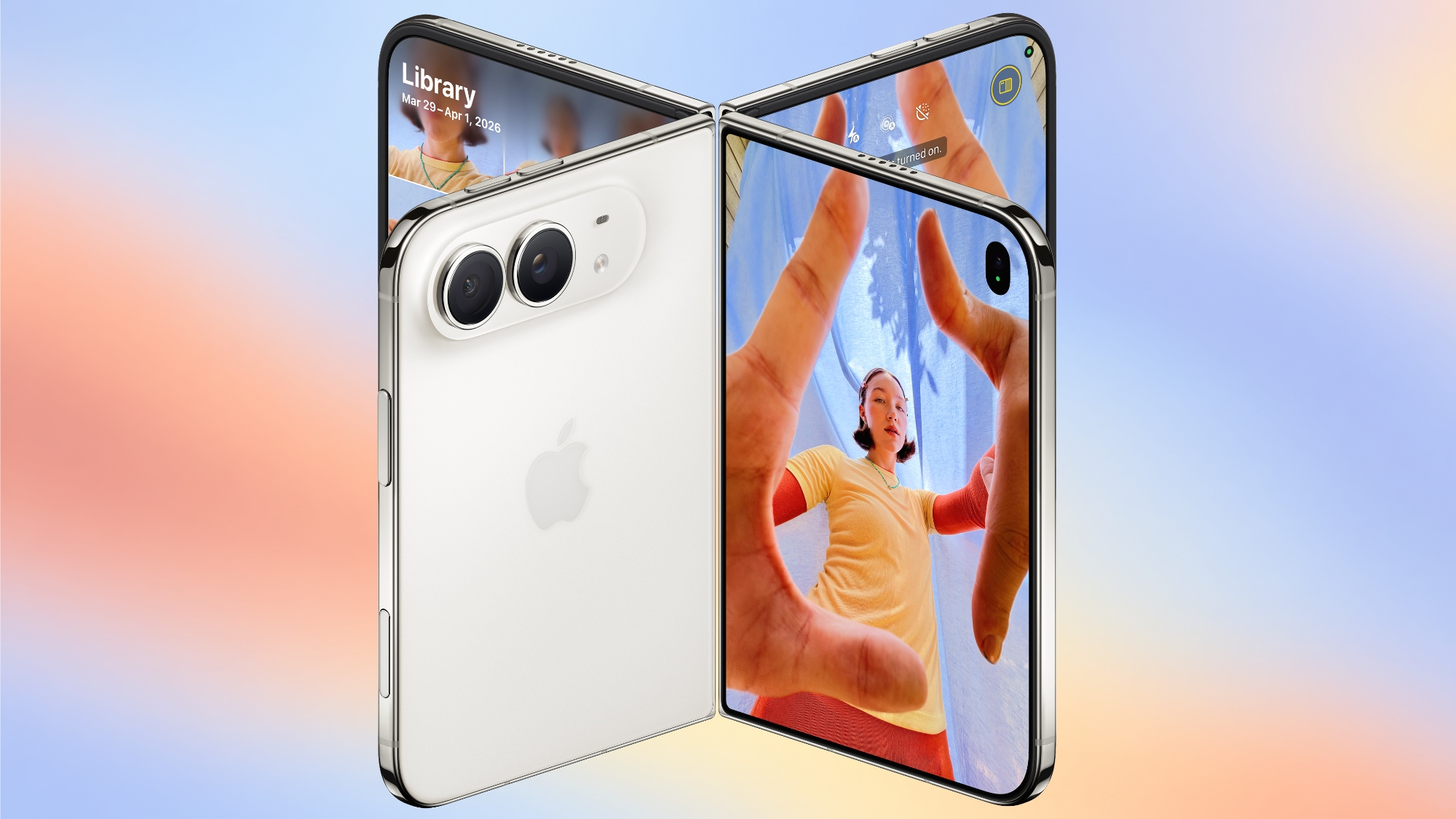
To take advantage of the iPhone Duo’s dual-display design, Apple is introducing new Camera app features that are unique to the foldable iPhone.
Smart Take
Smart Take uses AI to determine when everyone (including the iPhone owner) is ready for a group shot, so no one has to use a timer or stay out of the picture to capture the image.
You can prop up the iPhone Duo in a half-folded orientation, get in frame, and then wait for the group shot to be taken.
Kid Cue
Kid Cue shows little Peanuts animations to children so they look at the camera when you’re taking a photo.
Duo Preview
With Duo Preview, the Camera app shows a live preview of the shot on both displays, so the subject you’re taking a photo of can make adjustments.
Duo FaceTime
Nearby friends can participate in a FaceTime call using the outer display while the iPhone owner uses the inner display, so nobody has to crowd around the iPhone or pass it around to get on video.
Duo FaceTime is not the same as Dual Capture, which records video with both the front and rear cameras. Duo FaceTime specifically uses the outer display to allow another person to join in on a call.
Unique Form Factor Features
The iPhone Duo can be used in multiple orientations, including when it’s half-folded. The Duo stands up on its own, for taking FaceTime calls and recording video without holding it.
The folding mechanism acts like a built-in tripod and stand, so it’s also useful for selfies and long exposures. You can also capture selfies with the higher-quality 48MP rear camera while using the outer display as a viewfinder, which isn’t something you can do with a slab iPhone.
Camera Hardware
The iPhone Duo has a “Dual Fusion” two-camera setup with a 48MP Main camera. It’s basically the same camera that’s in the iPhone 17 (not the 17 Pro), offering 26mm 24MP images by default, along with 12MP 2x “telephoto” images at 52mm.
The camera supports sensor-shift optical image stabilization, but not the second-generation version available in the Pro models. It also does not support spatial photos or the ProRAW format.
It also includes a 48MP Ultra Wide camera with a 13mm focal length and macro capabilities. Since there’s no Telephoto lens, the iPhone Duo is limited to 2x optical-quality zoom in, 2x optical zoom out, and digital zoom up to 10x for images.
Other Camera Capabilities
Like the iPhone 18 Pro and Pro Max, the iPhone Duo supports the latest Photographic Styles, which adds texture and grain parameters.
Video
Smart focus tracking is a feature new to the iPhone Duo and the iPhone 18 Pro models. It uses AI to keep a subject in focus at all times, and pick up subject tracking if the subject exits the frame and then reappears.
The Duo supports 4K Dolby Vision video recording at up to 120 fps, and Cinematic mode for recording videos in 4K Dolby Vision at up to 60 fps. For the first time, Cinematic mode effects can be added to a video after capture on the Duo and iPhone 18 Pro. Apple also says there’s improved low-light video on the Duo when recording at 1080p.
Time-lapse video recording with stabilization up to 4K Dolby Vision is a new iPhone 18 Pro and iPhone Duo option. It’s especially useful on the iPhone Duo because you can record a stable video without the need for a tripod.
Front Camera
The iPhone Duo’s outer front-facing camera is 12MP, not 18MP like the iPhone 17 and iPhone 18 Pro models. It otherwise has the same features.
The inner display has a 1080p FaceTime camera that’s under the display.
Missing Camera Features
Compared to the iPhone 18 Pro and Pro Max, the iPhone Duo has a more rudimentary camera system. It lacks many features available on the Pro models.
- Telephoto lens
- Pro Controls
- Apple Reference Image
- Variable aperture
- Second-generation sensor-shift optical image stabilization
- Adaptive True Tone flash
- Spatial photos and video recording
- ProRAW
- ProRes
- ProRes RAW
- Genlock
- Apple Log 2 video recording
- Studio-quality four-mic array
Launch Date
The iPhone Duo will be available for pre-order on October 16, and it will launch on October 23. Pricing starts at $1,999.Related Roundup: iPhone Duo
Buyer’s Guide: iPhone Duo (Coming Soon)
Related Forum: iPhone
This article, “What the iPhone Duo’s Camera Can and Can’t Do” first appeared on MacRumors.com
Discuss this article in our forums
