

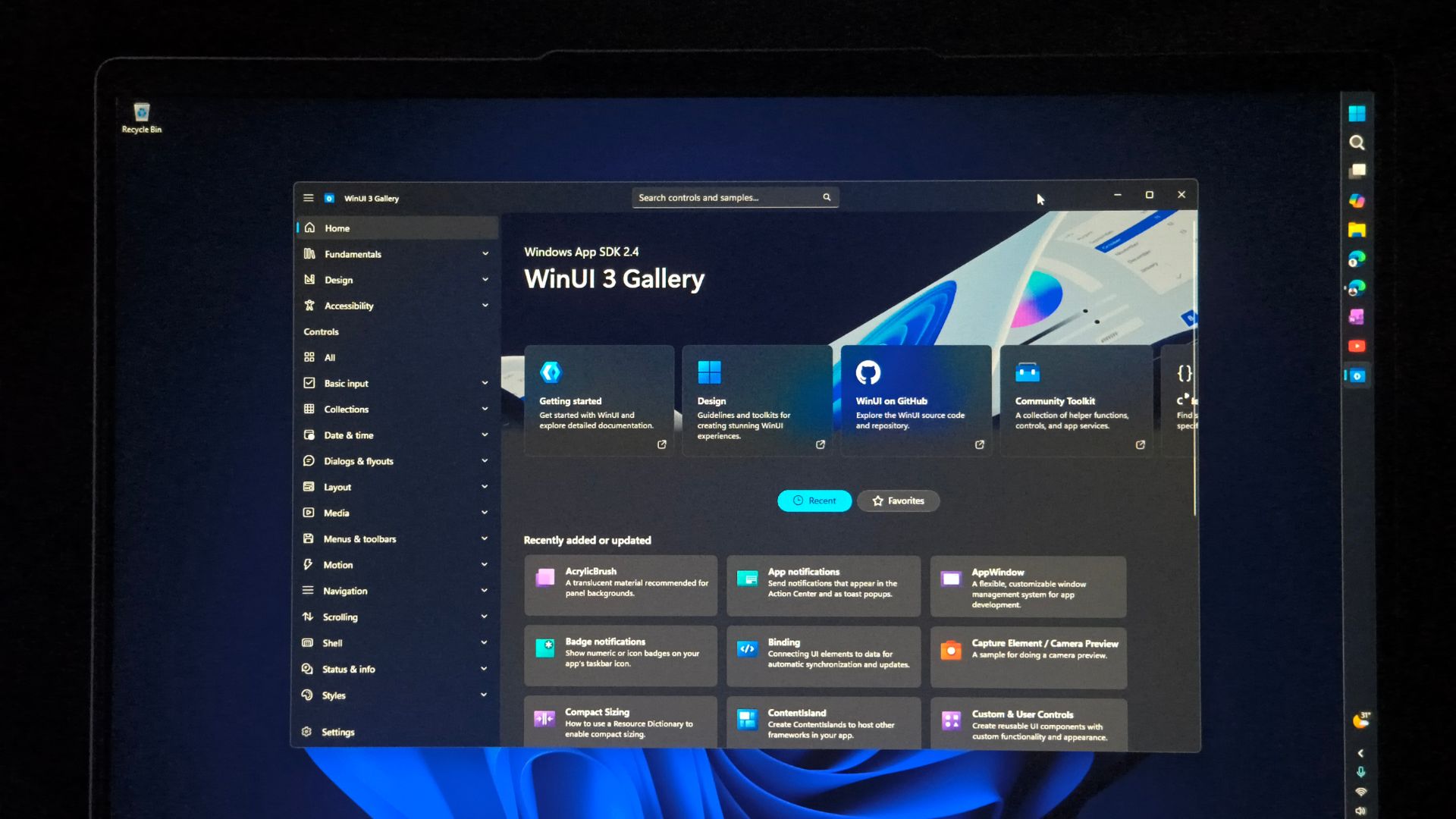
At a time when the consensus is that corporations do not know what to do with AI, Microsoft actually has a plan that leverages AI to bring more native WinUI apps to the Microsoft Store.
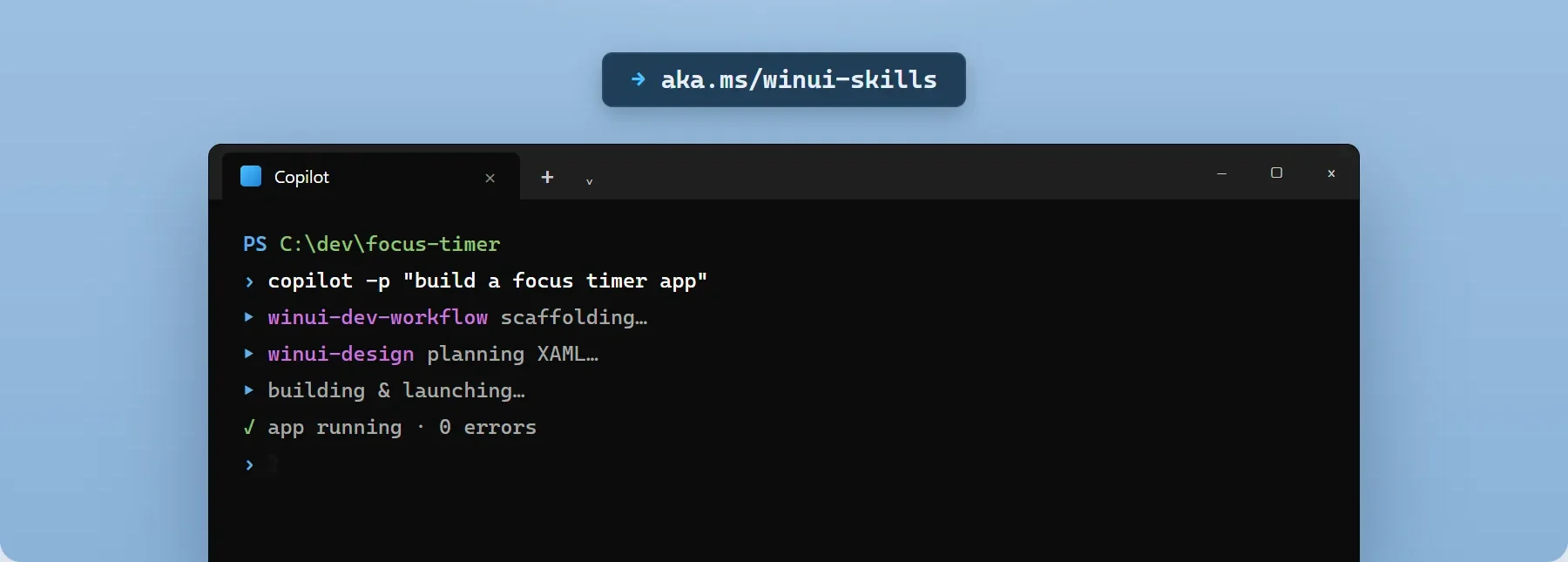
The company published a new quick-start guide that helps anyone go from an empty folder to a published WinUI 3 app using AI, VS Code, and their winapp CLI. Microsoft says the whole thing takes about 30 minutes, doesn’t need Visual Studio, and runs on free tools including the GitHub Copilot free tier.
You see how this looks, right? The easy 30-minute guide is basically a hook to lure beginner developers into making apps for Windows 11 without having to do the “hard work” of coding. I support this because the Microsoft Store could use some WinUI apps!
Now anyone can create a new WinUI app with AI, have an agent add features, test the result, package it as MSIX, and submit it to the Microsoft Store, all for free and with minimal effort. But I’m more interested in the attached AI-assisted migration guides for existing WPF and UWP apps.
To me, this is what Microsoft’s answer to Windows’ long-running native app problem looks like: make WinUI apps easier to build, make old apps easier to move over, and let AI handle the tedious parts in both.
Microsoft is using AI to make building and migrating WinUI apps easier
The new-app workflow runs on VS Code, .NET 10, Microsoft’s Windows App Development CLI, WinUI project templates, GitHub Copilot, and WinUI agent plugin.
This shouldn’t be confused with how the company promoted their generic chatbot, Copilot. The WinUI agent ships with specialized skills for WinUI design, code review, UI testing, packaging, and framework migration.
Microsoft also recommends connecting the agent to its Learn MCP server, so it pulls current WinUI API documentation at query time. Considering the lower popularity of WinUI 3, it is fair to assume that AI models have years more training material on WPF and UWP.
The WPF migration guide doesn’t pretend this is a find-and-replace job. System.Windows.*becomesMicrosoft.UI.Xaml.*, and Microsoft hands the AI agent a full substitution table covering controls, threading, window management, DPI handling, and data binding, plus a starter prompt telling it what to flag.
Microsoft’s migration guide for UWP to WinUI 3 starts by saying that the former is no longer under active development and that WinUI 3 and the Windows App SDK are its successors. Interestingly, the guide warns that AI models trained on years of UWP samples will keep reproducing those patterns unless the migration skill gives them explicit substitutions to follow.
Microsoft is essentially trying to lower the cost of moving its enormous existing library of WPF and UWP software onto the new native framework.
Microsoft also wants WinUI to replace the web-app mess
Windows keeps getting web apps instead of native ones because cross-platform web frameworks are cheaper to build for, letting developers reuse code across platforms instead of writing for a Windows framework that may change in the future, like it already did multiple times in the past.
At Build 2026, Microsoft made a strong commitment to changing that perception, calling WinUI the “production platform for Windows apps” and dropping the “3” from its name to tell the developer community that they won’t replace the framework again.
Microsoft also committed to lower memory usage, DataGrid and charting support, better WPF interop, and more open-
It’s not just for app development. The company has been replacing pieces of Windows 11’s legacy interface with WinUI 3, with the most recent being AutoPlay, Print Management, and more in the pipeline. It’s unfair to ask developers to adopt a stack Microsoft won’t use themselves.
However, Microsoft needs these guides more than us
Microsoft’s pitch for native apps isn’t that WebView2 or Electron are bad technology, although I disagree. The company’s documentation talks of WebView2 as a legitimate way to build hybrid apps, and it says resource use comes down to how well a developer optimizes their web content.
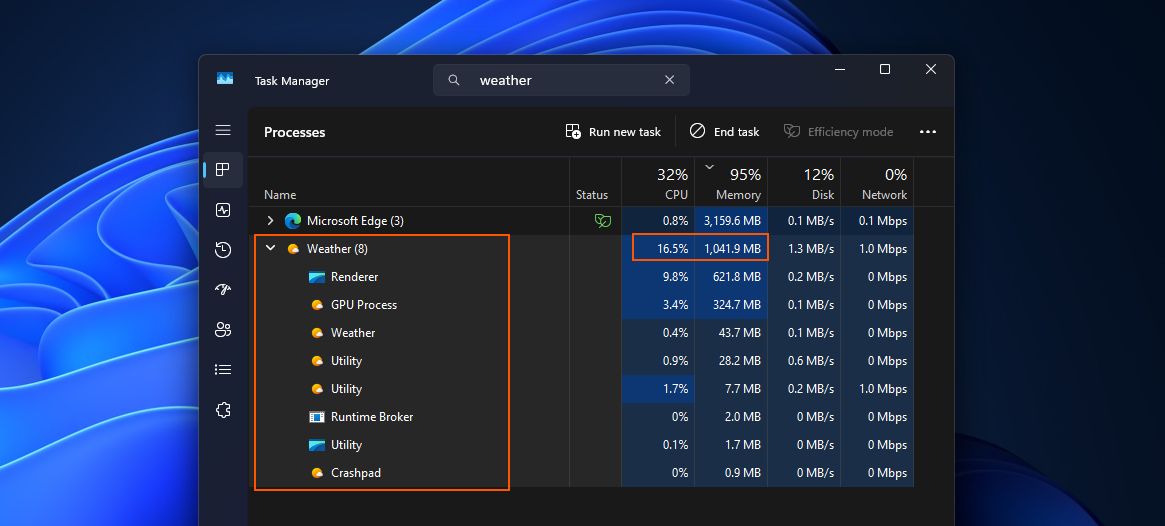
Funnily enough, the Windows 11 Weather app, built on WebView2, uses 1.2GB of RAM at idle, about five times what Apple’s native macOS Weather app uses, with nine Chromium sub-processes.
Despite having an enterprise-first approach, Microsoft Teams added an Efficiency Mode only after years of complaints.
Popular third-party apps like WhatsApp’s Windows app have struggled with loading times while also eating through RAM. Discord admitted its Windows app was a resource hog and tested auto-restarting it once RAM usage crosses 4GB.
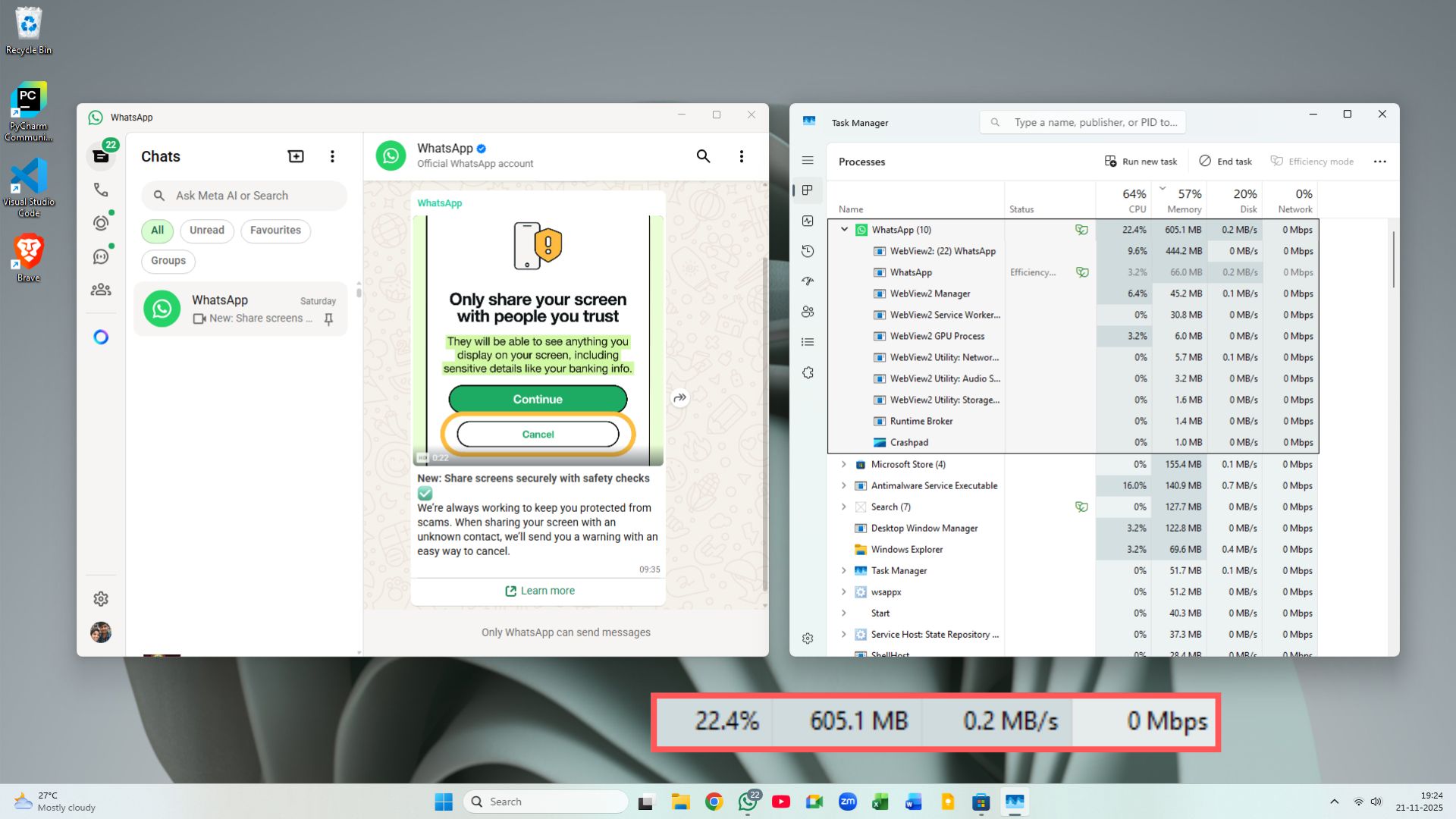
Microsoft is telling third-party developers to build leaner native apps while some of its own apps and Windows UI are based on WebView2.
Is AI-generated code for Windows apps good or bad?
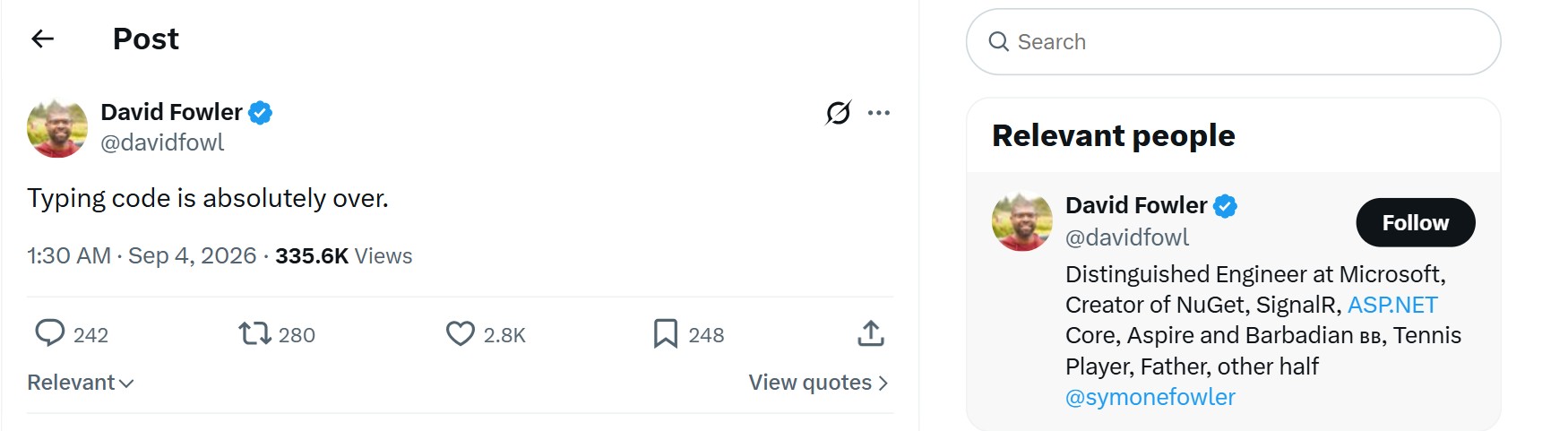
David Fowler, Microsoft’s Distinguished Engineer working on Aspire, recently said typing code is absolutely over. Yes, the WinUI tooling here has agents that generate code, understand a project, run tests, and fix what breaks, instead of a human having to type every line.
However, AI making code cheaper to produce isn’t the same as making it good. Microsoft knows this too, which is why the WinUI agent ships with dedicated code-review and UI-testing skills.
If Microsoft wants AI to generate more Windows software, that software still needs to be efficient, or making native apps easier to build just produces more badly optimized native apps.
Microsoft is rebuilding the Windows developer ecosystem around AI
I fell into a rabbit hole trying to decode what Microsoft’s plan is to get more native apps on Windows 11. If years ago, it needed Steve Ballmer to chant “developers, developers, developers” on stage, now the game has changed, with many devs now preferring Linux environments and a large group of AI-based app developers choosing MacBooks, owing to its powerful hardware.
Redmond is trying to keep its place in three ways:
- Microsoft is building a full pipeline: WinUI, an AI coding agent, migration tools, automated testing, packaging, and a path to the Store.
- Doubling down on WSL, letting coding agents run inside Linux environments with full GPU access so developers don’t ditch Windows.
- Pushing high-memory bandwidth workstation hardware like Nvidia RTX Spark machines, such as the Surface RTX Spark Dev box along with the recently announced Project Zenith, giving PCs at least 64GB of RAM and 250GB/s bandwidth to run 30B+ parameter models locally.
Microsoft is trying to make building for Windows happen inside a Windows environment designed around AI agents. If it works, Windows could get more native apps without developers having to rewrite everything by hand. But Microsoft still has to prove those AI-built WinUI apps will be faster and lighter than the web apps it wants to replace.
