Close Menu
MyAppsPlus

    Subscribe to Updates

    Get the latest creative news from FooBar about art, design and business.

    What's Hot

    Here’s what you can use instead of a docking station

    September 13, 2026

    Apple was right to delay the iPhone 18 launch

    September 13, 2026

    How to set up HDMI-CEC on your Samsung TV

    September 13, 2026
    Facebook X (Twitter) Instagram
    Facebook X (Twitter) Instagram
    MyAppsPlusMyAppsPlus
    Sunday, September 13
    • Home
    • Breaking Tech
    • Apps & Software
    • AI & Automation
    • Android
    • iPhone & iOS
    • More
      • Reviews
      • How-To Guides
      • Deals & Discounts
      • Shop
    MyAppsPlus
    Home»Breaking Tech»How to use Samsung’s new My FanCam feature to make yourself the main character in your videos
    Breaking Tech

    How to use Samsung’s new My FanCam feature to make yourself the main character in your videos

    myappsplusBy myappsplusAugust 25, 2026004 Mins Read
    Share Facebook Twitter Pinterest Copy Link LinkedIn Tumblr Email Telegram WhatsApp
    Follow Us
    Google News Flipboard
    How to use Samsung’s new My FanCam feature to make yourself the main character in your videos
    Share
    Facebook Twitter LinkedIn Pinterest Email Copy Link

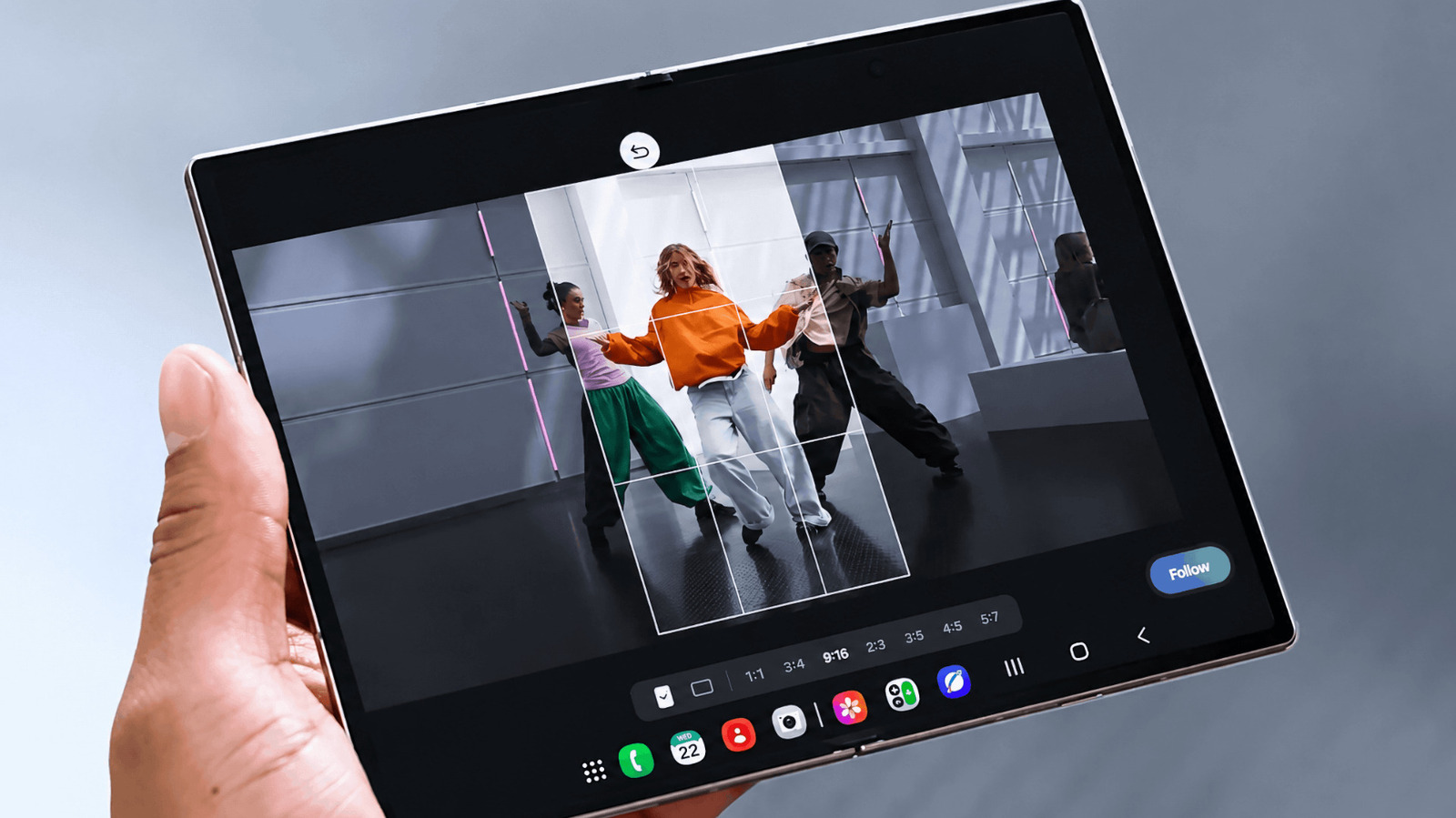
    My FanCam works after you record, turning a wider group video into a tighter tracking shot around one person.

    Samsung’s My FanCam is built for videos where several people are moving through the frame. Instead of trying to keep one person centered while you’re recording, you can capture the wider scene and choose your subject afterward. Galaxy AI then reframes the existing footage around that person in an aspect ratio you select.

    Samsung introduced the feature on the Galaxy Z Fold8 lineup. Because My FanCam works on a video you’ve already recorded, there’s nothing special you need to turn on before shooting.

    How to use My FanCam in Samsung Gallery
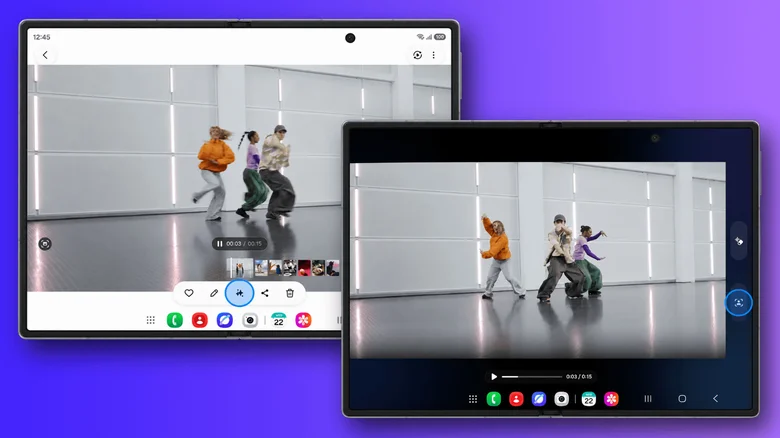
    Two Samsung foldables display a dance video in Gallery, showing the My FanCam editing interface before and after reframing the clip around one person.

    My FanCam lives in Samsung’s Gallery editing tools. On a supported device, start with a video that contains the person you want Galaxy AI to follow.

    Open Gallery and select the video you want to edit. Then, tap the Galaxy AI icon and select My FanCam. Wait for Galaxy AI to identify the people in the video and select the person you want to follow. Next, choose an aspect ratio for the new clip. Finally, tap Follow to create the reframed video. 

    The aspect-ratio choice is useful if you already know where the finished clip is going. A vertical crop makes more sense for platforms built around portrait video, while a wider frame may work better if you want to keep more of the original scene visible. My FanCam handles the tracking either way, so you can make that decision after you’ve recorded the footage.

    Shoot a wider frame if you plan to use My FanCam
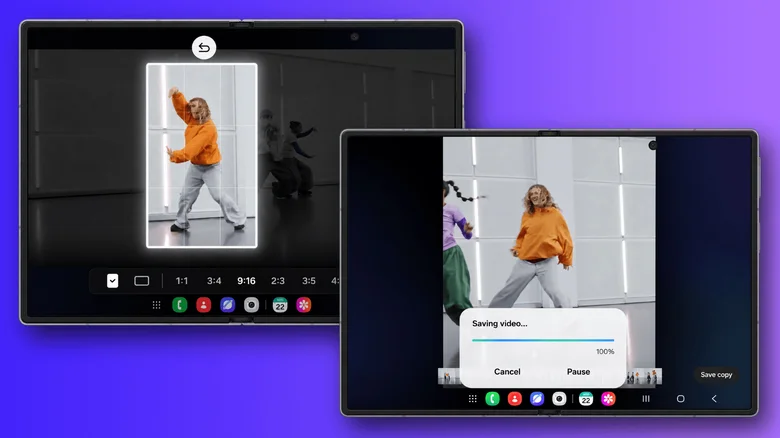
    Samsung foldables showing My FanCam creating a vertical tracking clip from a group dance video, including the crop selection screen and the saving process.

    My FanCam differs from Samsung’s Auto framing feature in one important way. Auto framing adjusts the composition while you’re recording, while My FanCam does its work afterward. That gives you more freedom to capture the whole scene first, but it also means the feature can only reframe footage that made it into the original recording.

    Imagine recording a school performance, a soccer game or a group dance. Rather than constantly moving the phone to keep one person centered, you can keep more of the scene visible and decide who you want to focus on when you edit the clip later.

    It helps to think of My FanCam as moving a smaller frame around inside the video you already recorded. If you’re filming several people, keeping the shot reasonably wide gives Galaxy AI more room to reposition that crop as your chosen person moves from one side of the scene to the other. If you start with a very tight shot, there’s simply less surrounding image available for My FanCam to use.

    The same limitation applies when your subject moves outside the original frame. My FanCam reframes what the camera captured, but it can’t recover parts of a scene that were never recorded. Samsung also says the feature won’t work when it can’t find a subject to track, and it doesn’t guarantee tracking accuracy. So for something unpredictable, such as a sports game or a group performance, keeping the person you care about comfortably within the wider shot gives the feature a better starting point.

    Which Samsung phones support My FanCam?
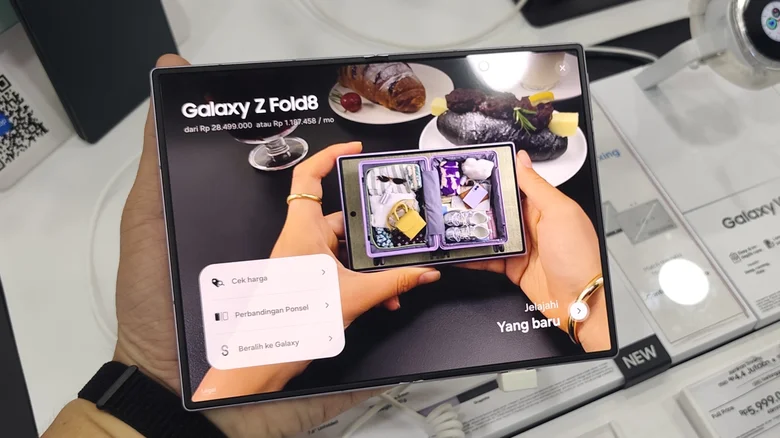
    A hand holds a Samsung Galaxy Z Fold8 in a store display while the inner screen shows promotional content for the phone.

    Samsung currently demonstrates My FanCam on the Galaxy Z Fold8 and Galaxy Z Fold8 Ultra. Both phones launched with One UI 9, which is where Samsung lists My FanCam among its new Galaxy AI features.

    One UI 9 isn’t limited to those two phones. Samsung first rolled it out to the Galaxy Z Fold8 Ultra, Galaxy Z Fold8 and Galaxy Z Flip8, with more Galaxy devices set to follow. My FanCam is a little less straightforward, though, since Samsung says individual AI features can vary by device, language and region. So even if your phone gets One UI 9, My FanCam may not come along with it.

    apps FanCam Samsung Samsungs Smartphones
    Follow on Google News Follow on Flipboard
    Share. Facebook Twitter Pinterest LinkedIn Tumblr Email Copy Link
    myappsplus
    • Website

    Related Posts

    Here’s what you can use instead of a docking station

    September 13, 2026

    How to set up HDMI-CEC on your Samsung TV

    September 13, 2026

    Fusion power startups find new partners in the defense world

    September 13, 2026
    Add A Comment
    Leave A Reply Cancel Reply

    Top Posts

    The 6 AI-free Linux distros I recommend most

    August 19, 20264 Views

    AI, automation, robot dogs ensure on-site nuclear safety

    September 7, 20262 Views

    This tiny AI box could save me from upgrading my perfectly good laptop

    September 6, 20262 Views
    Latest Reviews

    Why Fluper is the No.1 Mobile App Development Company in the UAE, Saudi Arabia, and the Middle East.

    myappsplusAugust 18, 2026

    How New Kuwait And Indonesia Tech Deals At Baker Hughes (BKR) Have Changed Its Investment Story

    myappsplusAugust 18, 2026

    Google is reportedly planning to move all Pixel production out of China

    myappsplusAugust 18, 2026
    Stay In Touch
    • Facebook
    • YouTube
    • TikTok
    • WhatsApp
    • Twitter
    • Instagram

    Subscribe to Updates

    Get the latest tech news from FooBar about tech, design and biz.

    Most Popular

    Why Fluper is the No.1 Mobile App Development Company in the UAE, Saudi Arabia, and the Middle East.

    August 18, 20260 Views

    How New Kuwait And Indonesia Tech Deals At Baker Hughes (BKR) Have Changed Its Investment Story

    August 18, 20260 Views

    Google is reportedly planning to move all Pixel production out of China

    August 18, 20260 Views
    Our Picks

    Here’s what you can use instead of a docking station

    September 13, 2026

    Apple was right to delay the iPhone 18 launch

    September 13, 2026

    How to set up HDMI-CEC on your Samsung TV

    September 13, 2026

    Subscribe to Updates

    Subscribe to our newsletter and get the latest tech news, app updates, AI trends, smartphone reviews, and exclusive deals delivered straight to your inbox.

    Facebook X (Twitter) Instagram Pinterest
    • About Us
    • Get In Touch
    • Disclaimer
    • Privacy Policy
    • Terms & Conditions
    © 2026 MyAppsPlus. All Rights Reserved.

    Type above and press Enter to search. Press Esc to cancel.