Close Menu
MyAppsPlus

    Subscribe to Updates

    Get the latest creative news from FooBar about art, design and business.

    What's Hot

    Even Realities G2 smart glasses show the limits of speaker- and camera-free frames

    September 13, 2026

    Anthropic ‘formalizes’ Fermat’s Last Theorem like never before using Claude — but it still took 11 days to write out

    September 13, 2026

    Never use harsh cleaning products to clean your smartphone — do this instead

    September 13, 2026
    Facebook X (Twitter) Instagram
    Facebook X (Twitter) Instagram
    MyAppsPlusMyAppsPlus
    Sunday, September 13
    • Home
    • Breaking Tech
    • Apps & Software
    • AI & Automation
    • Android
    • iPhone & iOS
    • More
      • Reviews
      • How-To Guides
      • Deals & Discounts
      • Shop
    MyAppsPlus
    Home»Breaking Tech»What is a VESA mount and how to know what type your TV has
    Breaking Tech

    What is a VESA mount and how to know what type your TV has

    myappsplusBy myappsplusAugust 23, 2026003 Mins Read
    Share Facebook Twitter Pinterest Copy Link LinkedIn Tumblr Email Telegram WhatsApp
    Follow Us
    Google News Flipboard
    What is a VESA mount and how to know what type your TV has
    Share
    Facebook Twitter LinkedIn Pinterest Email Copy Link

    The VESA dimensions tell you where the mounting holes line up, but you still need to check the mount’s weight limit and hardware.

    Thankfully, VESA 400 × 400 isn’t another TV resolution you need to learn. VESA stands for Video Electronics Standards Association, and in TV-mount shopping, a VESA size or VESA pattern describes the spacing between the mounting holes on the back of a TV or display. A VESA mount isn’t one particular style of bracket; it simply supports one or more of those standardized patterns.

    What does a VESA size such as 200 × 200 mean?
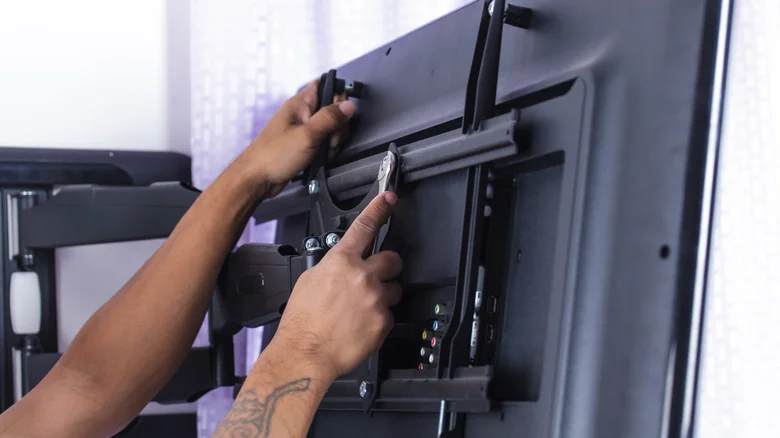
    Person tightening the mounting brackets on the back of a flat-screen TV attached to an articulating wall mount.

    Look at the back of a typical mountable TV and you’ll find threaded mounting holes, usually arranged in a square or rectangle. The VESA pattern describes the distance between those holes, measured in millimeters.

    The first number is the horizontal distance and the second is the vertical distance. So a TV with a 400 × 200 pattern has mounting holes spaced 400mm apart from left to right and 200mm apart from top to bottom. A 200 × 200 pattern measures 200mm in both directions.

    The VESA numbers don’t describe the TV’s resolution or screen dimensions. Larger TVs often use larger mounting patterns, but screen size alone doesn’t tell you which pattern a particular model uses. Checking your exact TV model is more reliable than guessing from its screen size.

    You also don’t need a mount limited to that exact VESA size. Many mounts support multiple VESA patterns, so you don’t need a bracket labeled only for your exact size. Your TV’s pattern just needs to appear on the mount’s list of supported patterns.

    How to find your TV’s VESA pattern
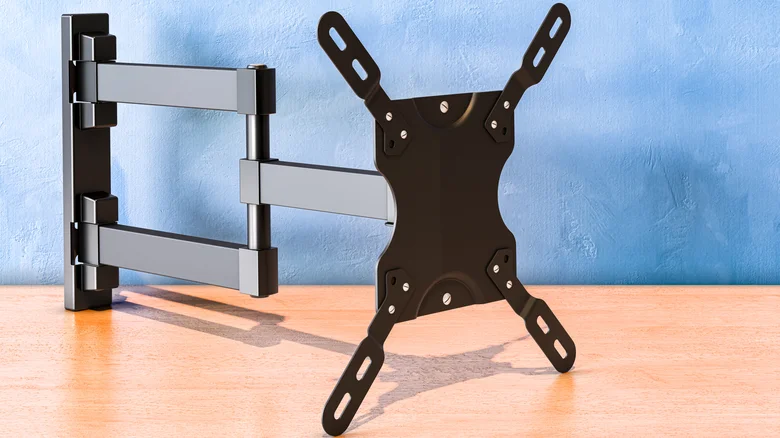
    TV wall mount with adjustable arms and a VESA mounting plate.

    The easiest method doesn’t require a ruler at all. Look up the exact TV model in its manual or on the manufacturer’s support page and find the wall-mount or VESA specifications. Manufacturers commonly list the mounting-hole pattern in millimeters.

    If you can’t find the specification, you can measure the mounting holes yourself. Measure from the center of one mounting hole to the center of the corresponding hole horizontally, then do the same vertically. Write the result as horizontal × vertical, in millimeters.

    For example, if the mounting holes are 400mm apart horizontally and 200mm apart vertically, the TV has a 400 × 200 VESA pattern. Measure in millimeters so you can compare the result directly with the mount’s specifications.

    A matching VESA pattern isn’t enough
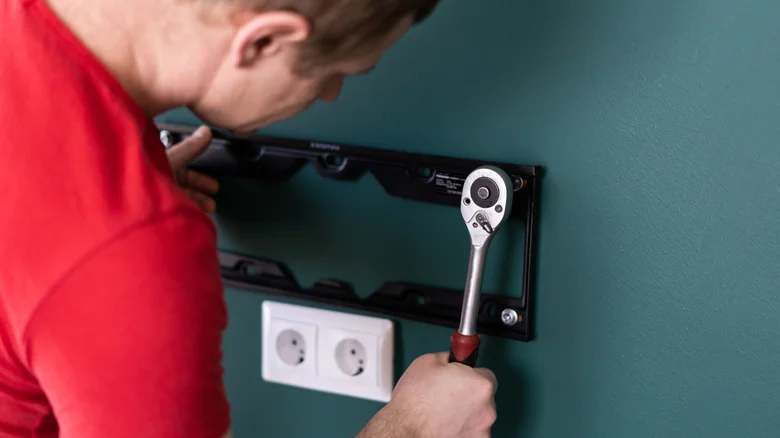
    Person using a ratchet to secure a TV wall-mount bracket to a wall.

    A matching VESA pattern tells you the bracket can line up with the TV’s mounting holes. It doesn’t tell you whether the mount can safely hold the TV, so the next specification to check is its weight limit.

    Compare the mount’s maximum load with the weight of your TV. A bracket can support the correct VESA pattern and still be unsuitable for a TV that’s too heavy.

    You should also check the hardware required by your TV. VESA compatibility also says nothing about how the bracket should attach to the wall. Once you’ve confirmed the pattern and weight rating, use the TV manufacturer’s instructions to check the required mounting screws and follow the mount manufacturer’s instructions for attaching the bracket to the wall.

    Accessories Entertainment mount VESA What
    Follow on Google News Follow on Flipboard
    Share. Facebook Twitter Pinterest LinkedIn Tumblr Email Copy Link
    myappsplus
    • Website

    Related Posts

    Never use harsh cleaning products to clean your smartphone — do this instead

    September 13, 2026

    Here’s what you can use instead of a docking station

    September 13, 2026

    How to set up HDMI-CEC on your Samsung TV

    September 13, 2026
    Add A Comment
    Leave A Reply Cancel Reply

    Top Posts

    The 6 AI-free Linux distros I recommend most

    August 19, 20264 Views

    AI, automation, robot dogs ensure on-site nuclear safety

    September 7, 20262 Views

    This tiny AI box could save me from upgrading my perfectly good laptop

    September 6, 20262 Views
    Latest Reviews

    Why Fluper is the No.1 Mobile App Development Company in the UAE, Saudi Arabia, and the Middle East.

    myappsplusAugust 18, 2026

    How New Kuwait And Indonesia Tech Deals At Baker Hughes (BKR) Have Changed Its Investment Story

    myappsplusAugust 18, 2026

    Google is reportedly planning to move all Pixel production out of China

    myappsplusAugust 18, 2026
    Stay In Touch
    • Facebook
    • YouTube
    • TikTok
    • WhatsApp
    • Twitter
    • Instagram

    Subscribe to Updates

    Get the latest tech news from FooBar about tech, design and biz.

    Most Popular

    Why Fluper is the No.1 Mobile App Development Company in the UAE, Saudi Arabia, and the Middle East.

    August 18, 20260 Views

    How New Kuwait And Indonesia Tech Deals At Baker Hughes (BKR) Have Changed Its Investment Story

    August 18, 20260 Views

    Google is reportedly planning to move all Pixel production out of China

    August 18, 20260 Views
    Our Picks

    Even Realities G2 smart glasses show the limits of speaker- and camera-free frames

    September 13, 2026

    Anthropic ‘formalizes’ Fermat’s Last Theorem like never before using Claude — but it still took 11 days to write out

    September 13, 2026

    Never use harsh cleaning products to clean your smartphone — do this instead

    September 13, 2026

    Subscribe to Updates

    Subscribe to our newsletter and get the latest tech news, app updates, AI trends, smartphone reviews, and exclusive deals delivered straight to your inbox.

    Facebook X (Twitter) Instagram Pinterest
    • About Us
    • Get In Touch
    • Disclaimer
    • Privacy Policy
    • Terms & Conditions
    © 2026 MyAppsPlus. All Rights Reserved.

    Type above and press Enter to search. Press Esc to cancel.